As the API threat landscape evolves, so does Akamai’s platform. In the final stretch of 2025, we delivered several new capabilities to help customers secure AI-powered infrastructure, simplify integration workflows, and accelerate testing across development pipelines.
From detecting Model Context Protocol (MCP) servers in code and enabling ServiceNow integrations to automating API testing with Active Testing and expanding framework support in APIs from Code, these enhancements are all about giving teams deeper visibility, tighter control, and more automation across the full API lifecycle.
Here’s what’s new.
APIs from Code: Discover MCP servers
As AI-driven applications multiply, understanding where MCP is implemented has become essential for API governance. Previously, Akamai API Security could detect MCP server endpoints by analyzing traffic.
In this release, we’ve added the ability to discover and tag MCP servers directly from source code repositories. This gives security teams visibility earlier — even before the API is exposed in production (Figure 1).
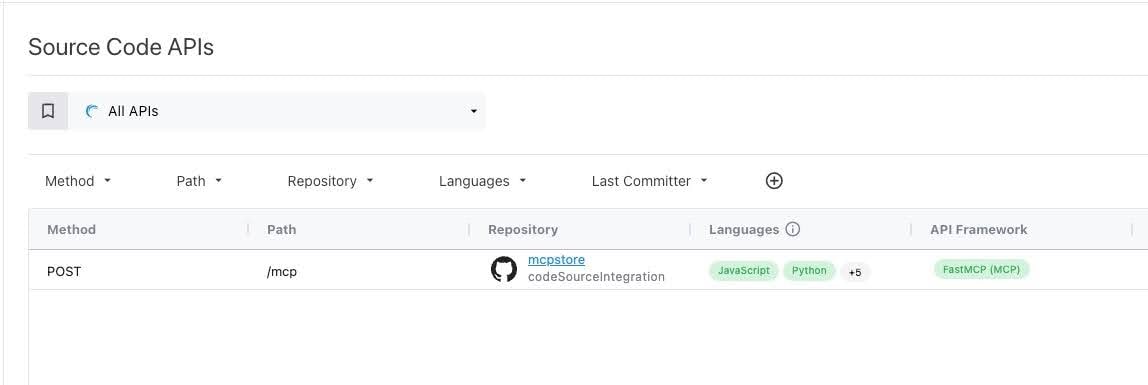 Fig. 1: Discovered MCP endpoint built on the FastMCP framework in Python
This enhancement helps organizations manage AI-related risk by identifying sensitive infrastructure earlier in the development lifecycle, especially for internal or shadow AI services that may not generate immediate traffic.
We’ve also continued to expand our APIs from Code coverage by adding support for additional languages, API types, and frameworks, including:
- New languages: C#, Go
- New API types: MCP, GraphQL
- New frameworks
- C#: ASP.NET Core (REST)
- Go: Echo (REST), Gin (REST)
- Java: Spring WebFlux (REST), Micronaut (MCP)
- Python: FastMCP (MCP), Strawberry (GraphQL)
These additions help customers to more comprehensively discover internal, undocumented, or dormant APIs, and to close security and compliance gaps across diverse back-end stacks.
To learn more about our APIs from Code capability, please see the documentation.
New left-hand navigation
We’ve redesigned the Akamai API Security user interface (UI) to improve page organization and make it easier to navigate and manage API Groups. The new left-hand layout is cleaner, faster, and scales better as new features are added (Figure 2).
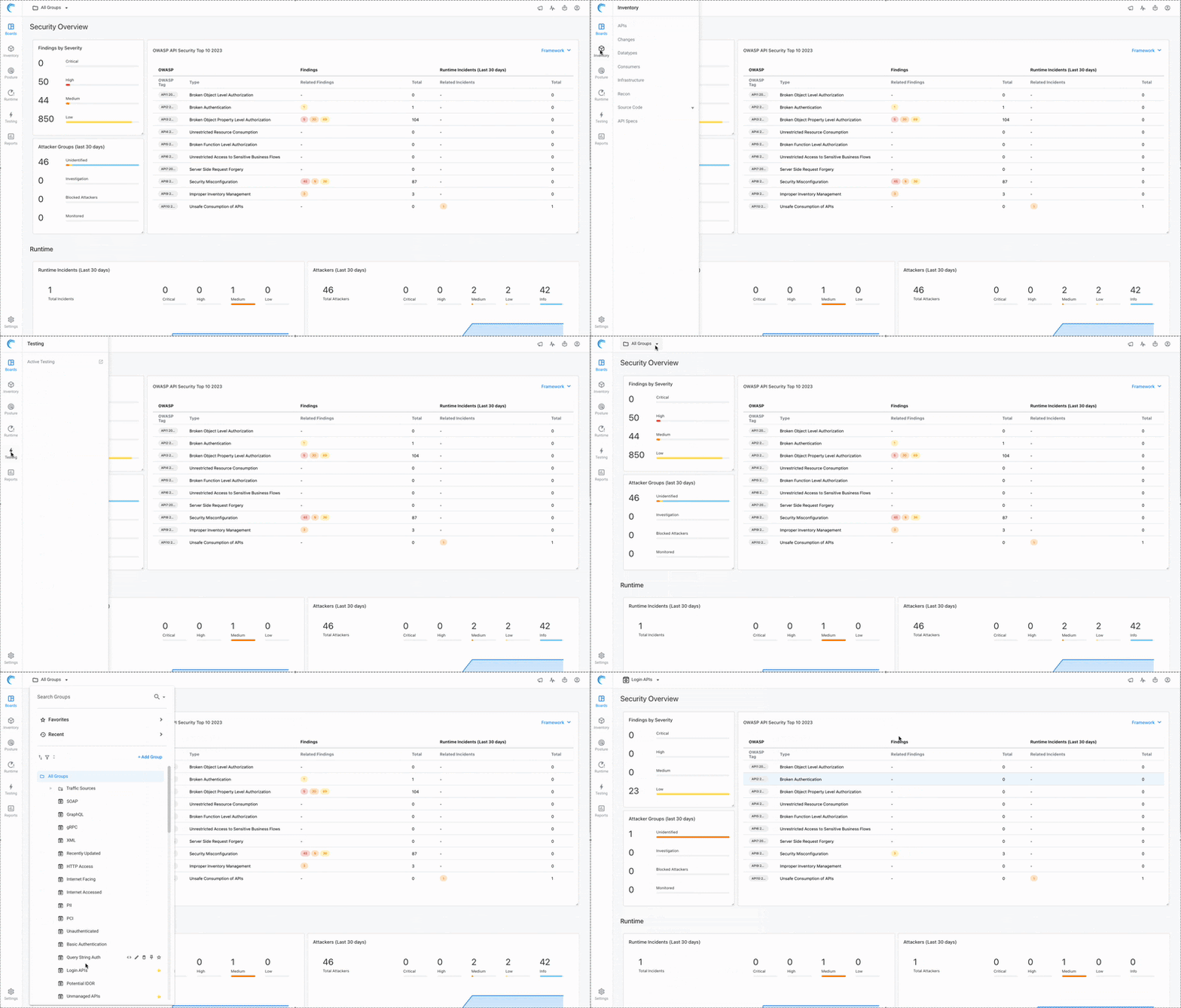 Fig. 2: New Akamai API Security navigation UI
The new redesign includes:
- A new icons for each main page for easier visual scanning
- A new “Boards” page — a consolidated area for dashboards and landing pages
- The inventory moved up to the second position for better accessibility
- The security tab split into two focused areas:
- Posture (Findings)
- Runtime (Incidents and Attackers)
- A new API Groups Panel, which allows quick access to your Favorites, Recents, and Pinned Groups, new group creation, sorting groups by relevancy, and filtering by type
To learn more about the new navigation, please visit the documentation.
ServiceNow integrations now generally available
Our integrations with ServiceNow API Configuration Management Database (CMDB) and Application Vulnerability Response (AVR) are now generally available, providing enterprise customers with a centralized way to track APIs, manage risk, and coordinate remediation across teams (Figure 3).
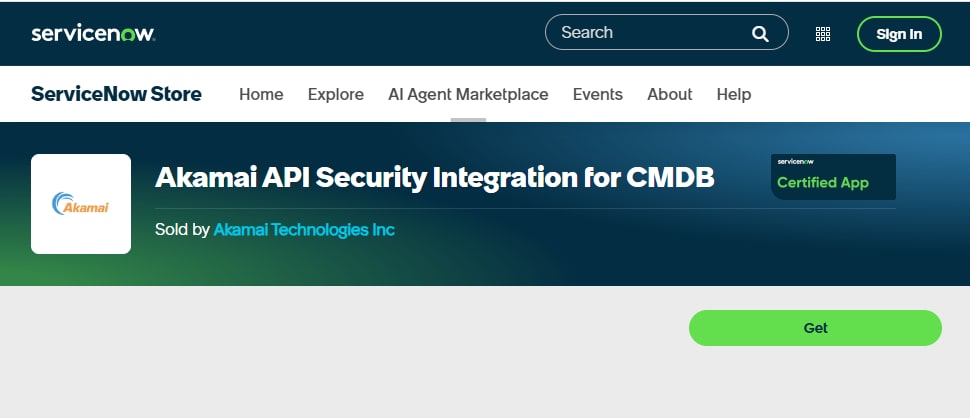 Fig. 3: Akamai API Security integration app in the ServiceNow store
With the CMDB integration, API endpoints discovered by Akamai are automatically synchronized into ServiceNow’s API Data Model. Security and IT teams gain a real-time view of API assets across development, staging, and production — correlated with business applications and owners for easier governance.
Through the AVR integration, API vulnerabilities detected by Akamai — from misconfigurations to advanced logic flaws — are automatically routed into ServiceNow. These issues are prioritized and tracked using your existing remediation workflows, reducing response times and breaking down silos between AppSec and engineering.
Together, these integrations help customers:
- Maintain a consolidated inventory of all API assets and their owners
- Accelerate vulnerability remediation through automated ticketing and tracking
- Reduce compliance risk by maintaining a clear audit trail of posture and resolution status
- Eliminate swivel-chair operations between API Security and ServiceNow environments
Whether you're managing thousands of APIs or just beginning your API governance journey, these integrations ensure that you’re working from a single source of truth — and can act quickly when security issues arise.
To learn more about our ServiceNow integrations, please see the documentation.
Active Testing gets easier to deploy, manage, and automate
In Q1 2026, we’ve introduced a series of usability and automation enhancements to make Active Testing more accessible and efficient — whether you're integrating it into CI/CD pipelines or running scheduled security tests in production.
Flexible scan scheduling
You can now schedule Active Testing scans using a calendar-based interface, supporting daily, weekly (by weekday), or monthly (by day number) patterns (Figure 4). A new “Scan Type” column in the Scans table also helps distinguish between manual and scheduled runs, improving traceability and auditability.
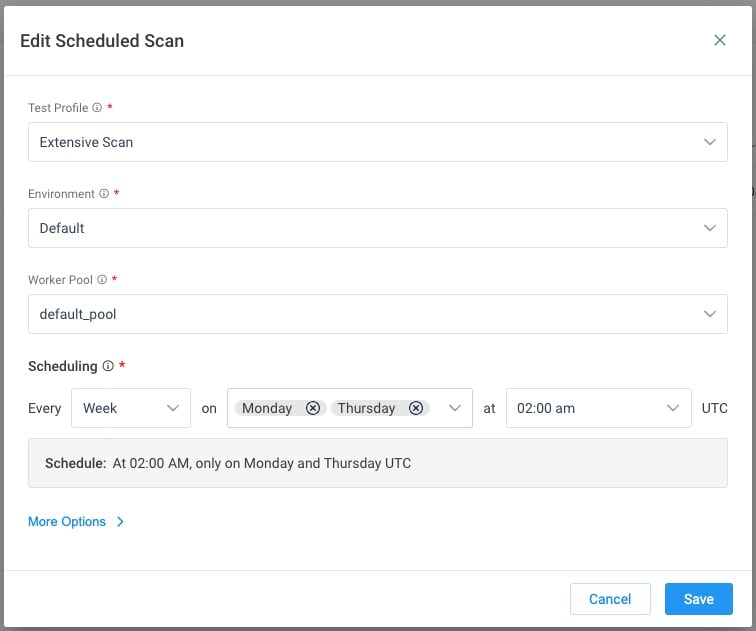 Fig. 4: Active Testing scan scheduling
Simplified Remote Worker setup
We’ve redesigned the Remote Worker creation flow to guide users through the deployment process with step-by-step instructions, ready-to-copy commands, and clearly stated prerequisites. No more jumping between docs, the UI, and your terminal.
Plus, the worker list view now includes improved sorting and filtering to help teams quickly identify outdated or unhealthy workers.
CI/CD wizard for GitLab, GitHub, Jenkins, and CircleCI
A new UI-based configuration wizard generates ready-to-use CI/CD pipeline configs for Active Testing. Simply choose your platform, set the scan parameters, and the system generates the environment variables and configuration files — reducing manual setup errors and accelerating integration with your software development lifecycle.
Learn more
These updates were designed to help organizations shift security left, improve coverage across their environments, and reduce the friction that often slows down AppSec testing efforts.
Please review the release notes for additional information about these and other features.

Tags