


- Get real-time visibility into prompts, responses, and AI interactions
- Control access to AI applications and restrict activity based on the user identity
- Secure managed and unmanaged devices without changing user workflows
- Discover shadow AI across web applications, browsers, and desktop tools
- Protect sensitive data before it reaches AI applications
- Deploy quickly without proxies, network redesign, or browser replacement
- Apply risk-adaptive guardrails based on user identity and context
- Distinguish between human and agentic activity and apply distinct guardrails to each
- Apply controls across both browsers and desktop applications
Secure AI usage control and governance over users and agents
Discover AI apps, control prompts, responses, agent actions, and data exchanges across browser and desktop. Gain real-time visibility and apply adaptive enforcement of AI interactions without breaking workflows or changing network architecture.
Secure AI Usage Without Disrupting Productivity
Akamai Workforce Protector secures AI usage at the point of interaction — in the browser or in desktop applications — with risk-adaptive guardrails that allow enterprises and teams to discover, monitor, control, and adopt AI safely.
How Workforce Protector secures AI interactions
Enable safe AI adoption with visibility, context, and adaptive enforcement. Workforce Protector observes activity where work happens and applies controls directly at the point of interaction.

Built for the last mile of AI interactions
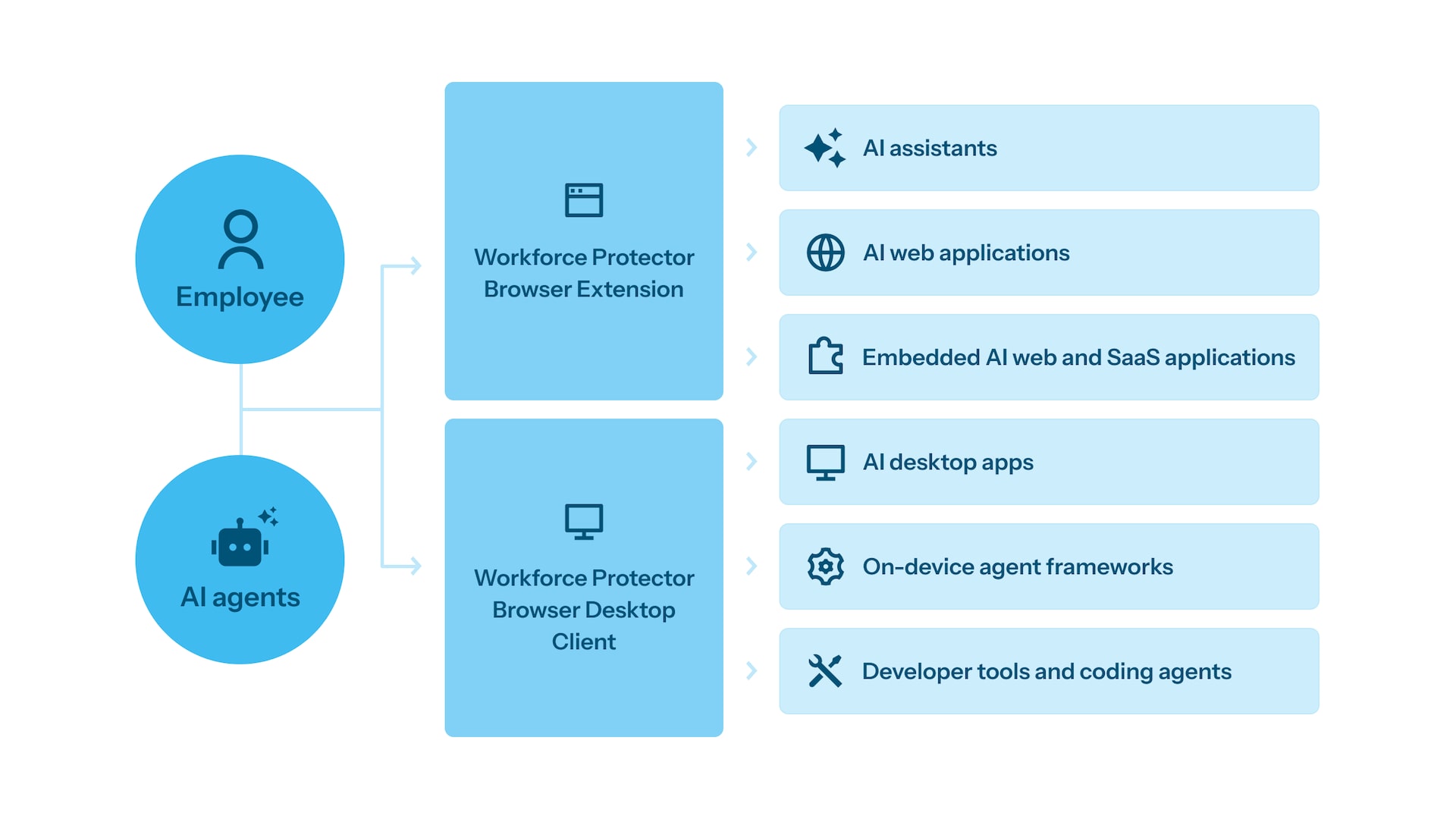
Apply the right control at the right interaction point. Workforce Protector combines browser-native protection, desktop AI governance, and cloud intelligence to secure how users and AI agents work.
Features
Common AI security use cases
Secure interaction channels where users and AI agents work. Workforce Protector applies the right controls at the right point to govern AI usage, protect data, and reduce risk.
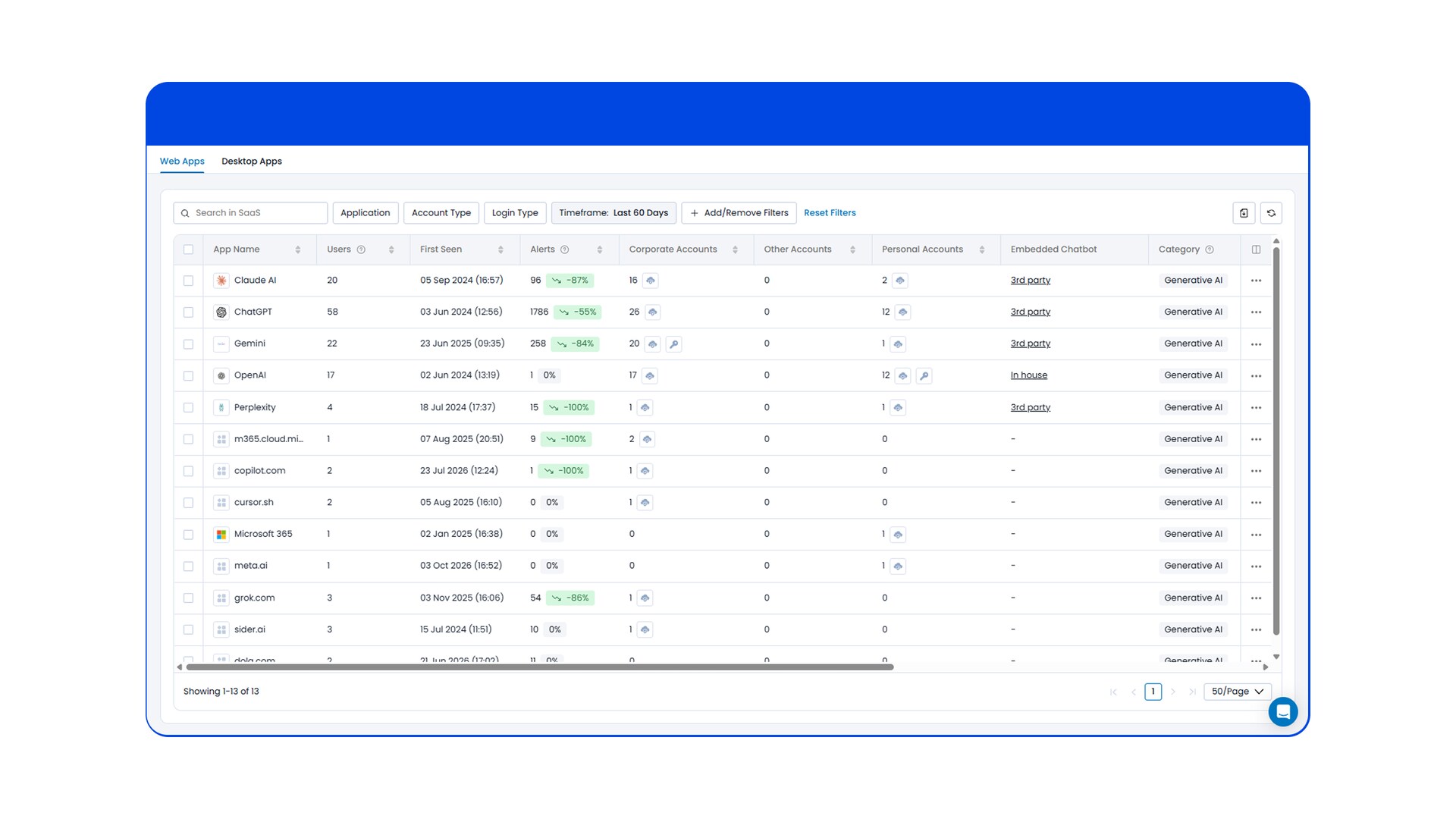
Shadow AI discovery and inventory
Discover AI tools, embedded AI, and AI agents; get a full inventory of AI tools, users, and accounts.
Use the Akamai Workforce Protector Browser Extension to discover:
- AI web applications and copilots
- AI-powered SaaS and web apps
- AI desktop applications
- AI browser extensions
- On-device AI agents and frameworks
- AI developer tools and coding agents
Get a full inventory of what AI tools are deployed in your environment and who’s using them, and eliminate shadow AI.

AI access control
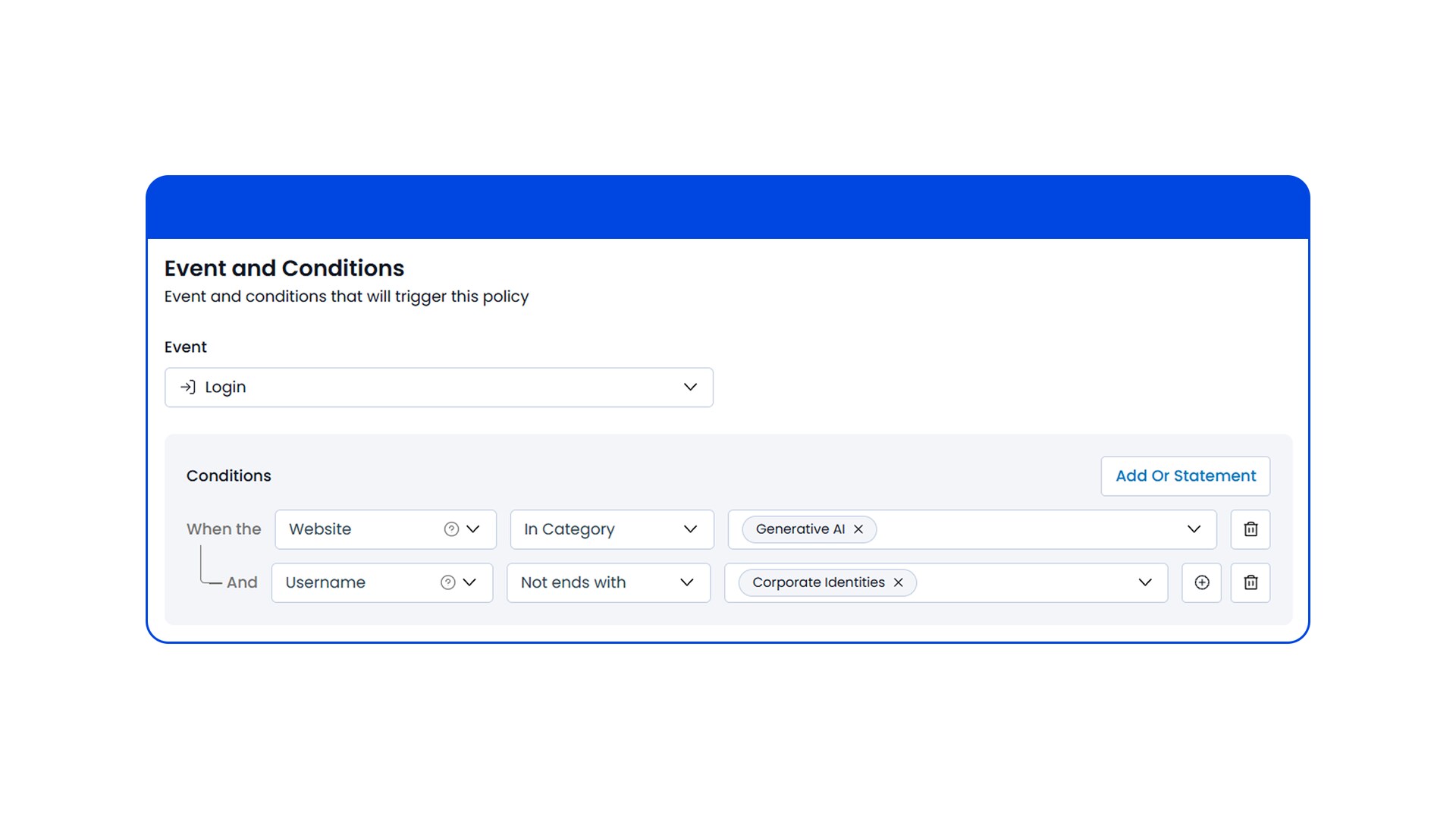
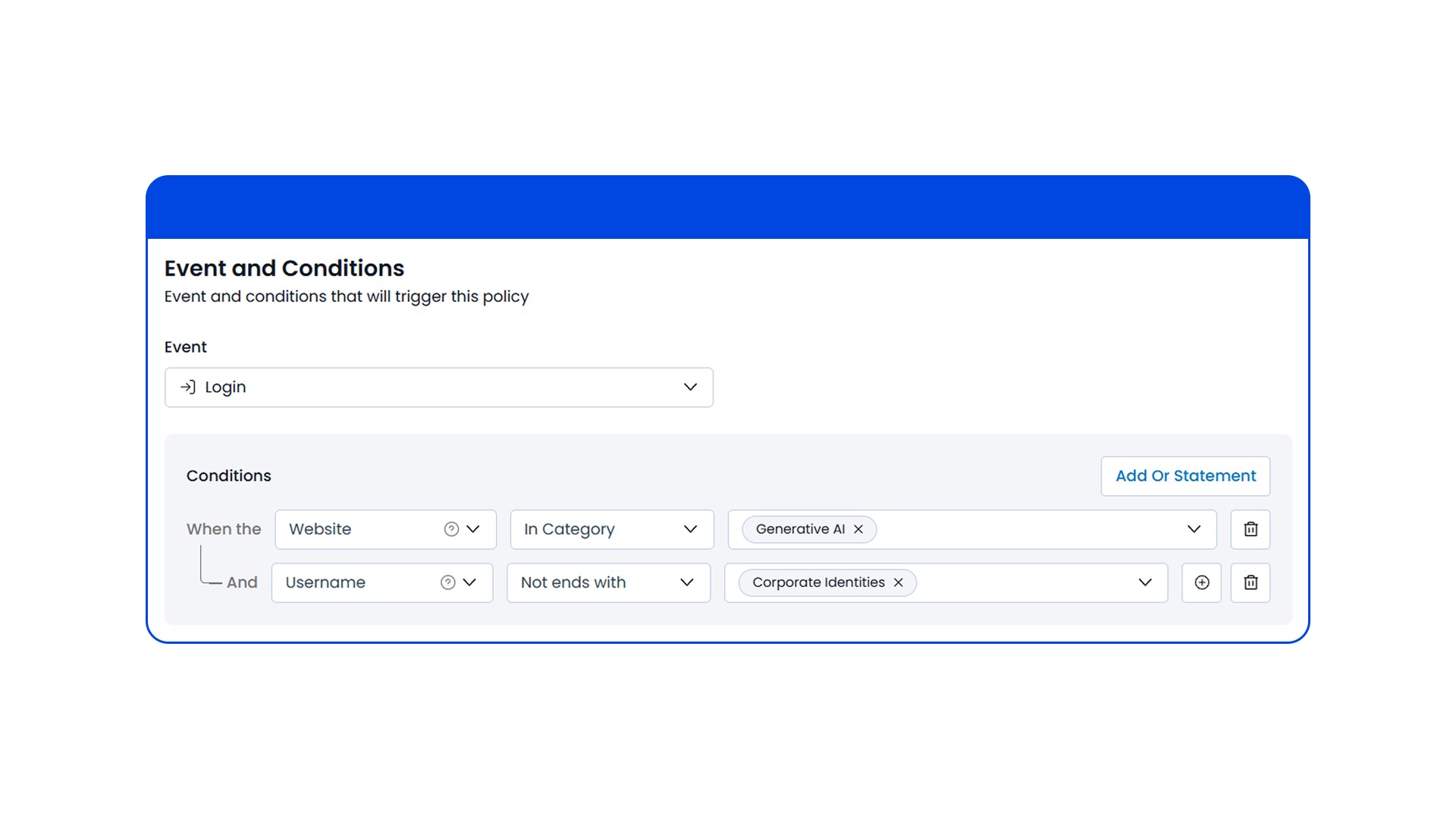
Secure access to AI tools, agents, and applications, and prevent access to unapproved AI tools by unauthorized user identities.
Granularly control data access to or by AI tools based on criteria including:
- Approved vs. unauthorized AI applications
- Corporate vs. personal user accounts
- Managed vs. unmanaged devices
- Human vs. agentic activity
- LLM model used
Prevent access to unauthorized tools and unapproved accounts, without getting in the way of legitimate use.
AI data protection
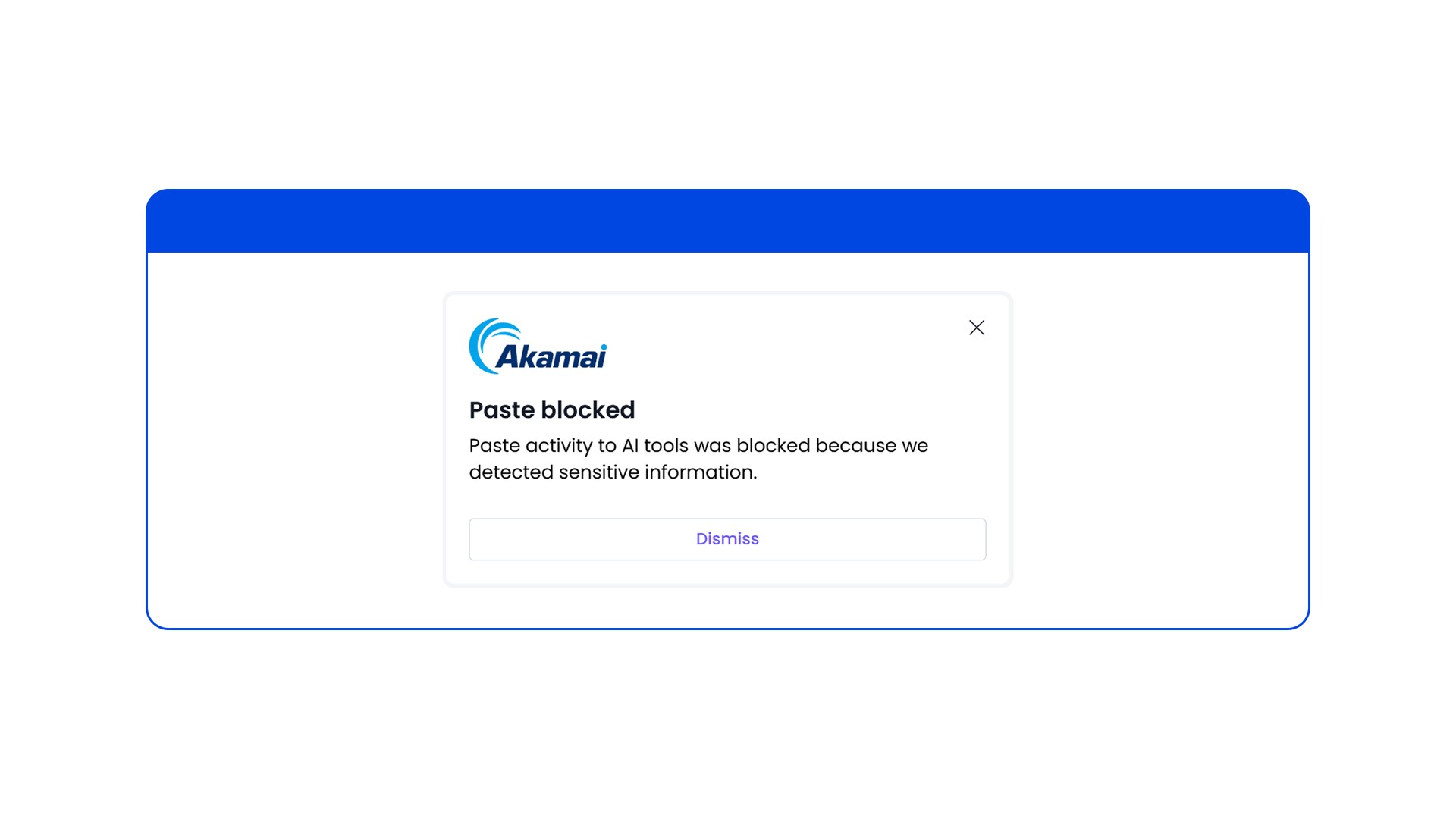
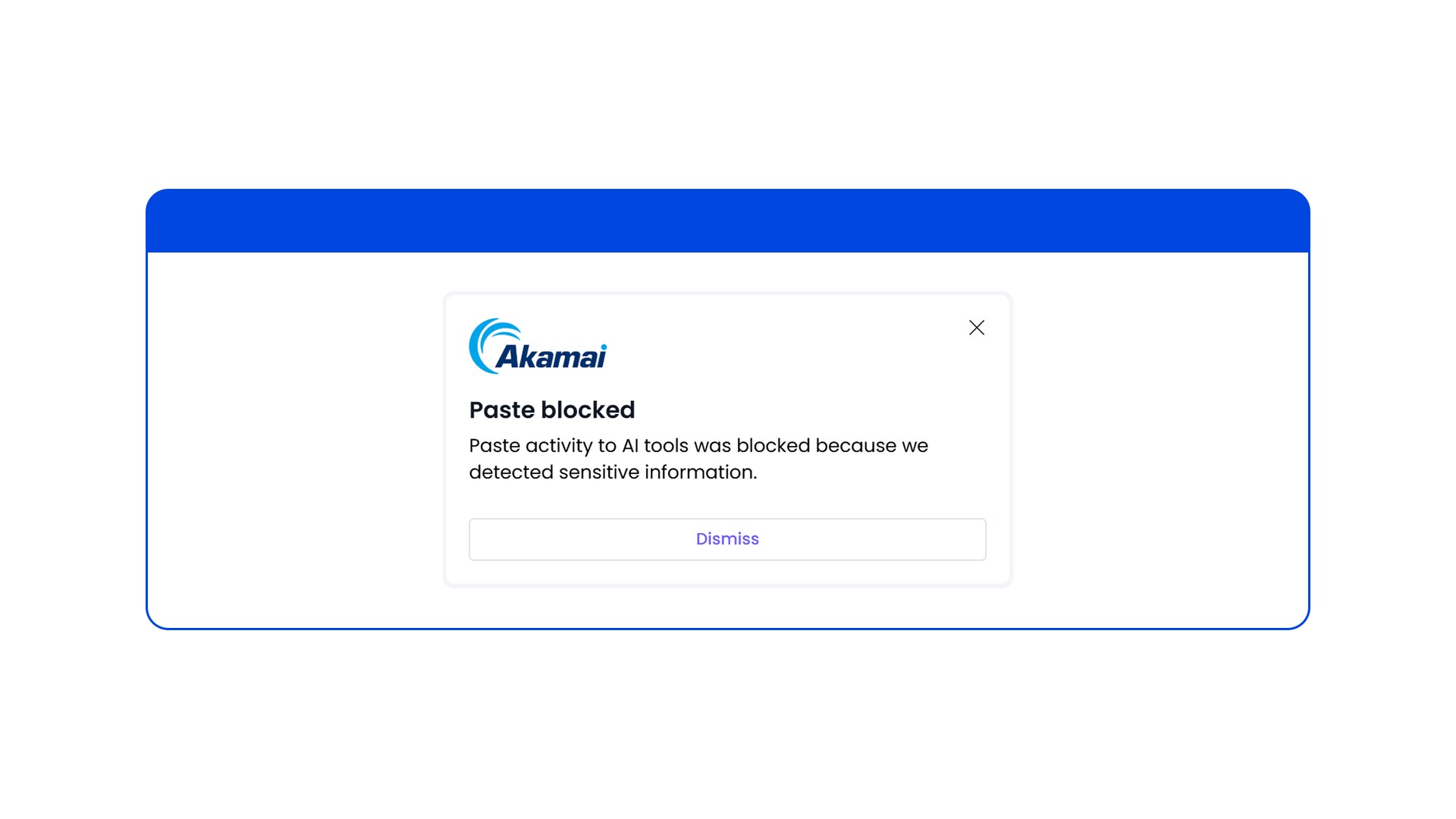
Detect, monitor, and classify data activities across AI tools to prevent leakage of sensitive information.
Control data exchange across user activities such as:
- Typing
- Copy/paste
- File upload/download
- Conversation sharing
- Third-party application connectors
Prevent AI data loss and maintain compliance with global standards, including GDPR, NIS2, and PCI DSS.
AI risk prevention
Detect and prevent AI risks and threats that threaten AI systems and data integrity, and can lead to system compromise and AI usage policy violations.
- Stop AI risks and threats such as:
- Prompt injection
- AI phishing attacks
- Hallucinations
- Toxicity
AI extension management
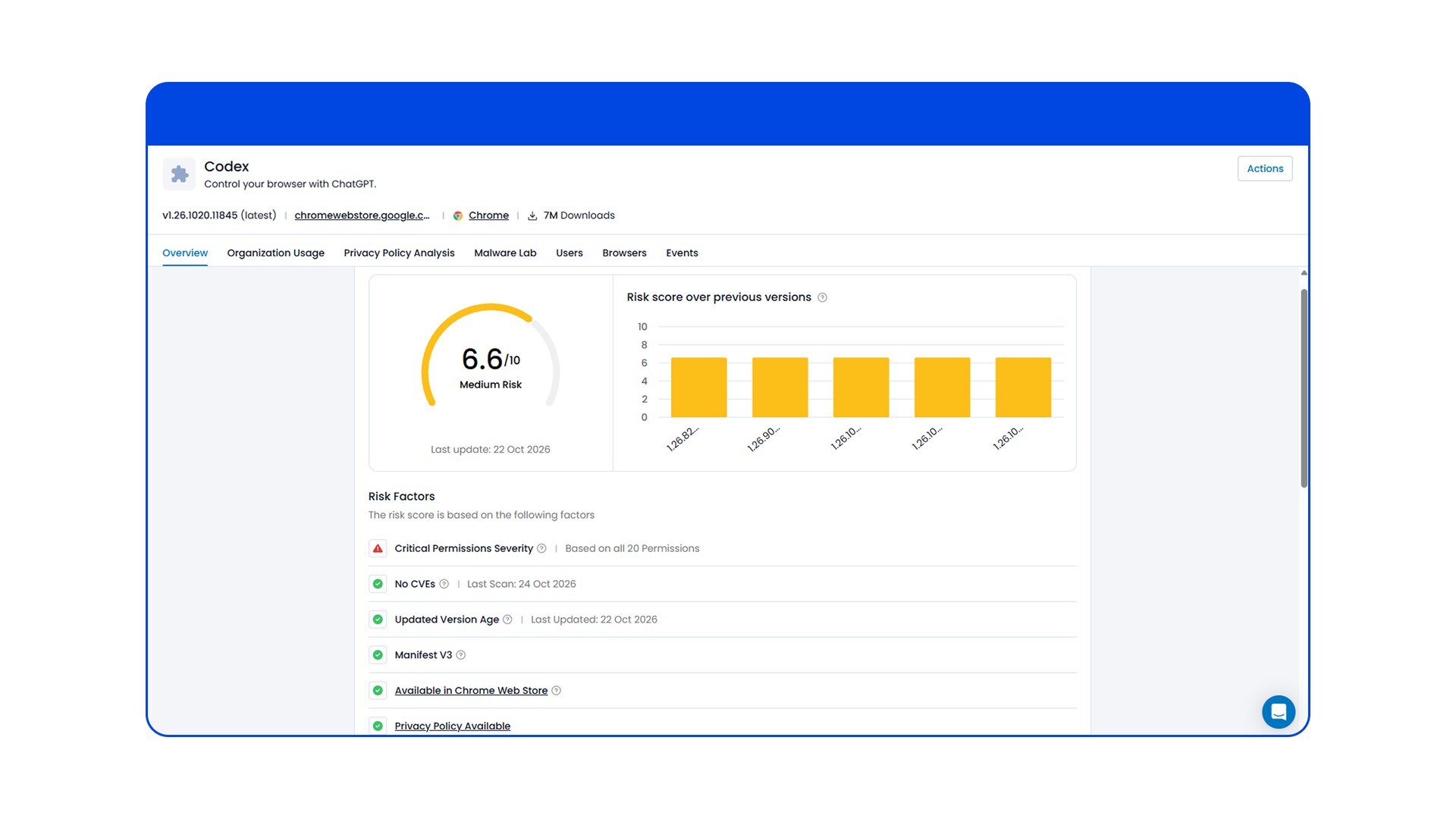
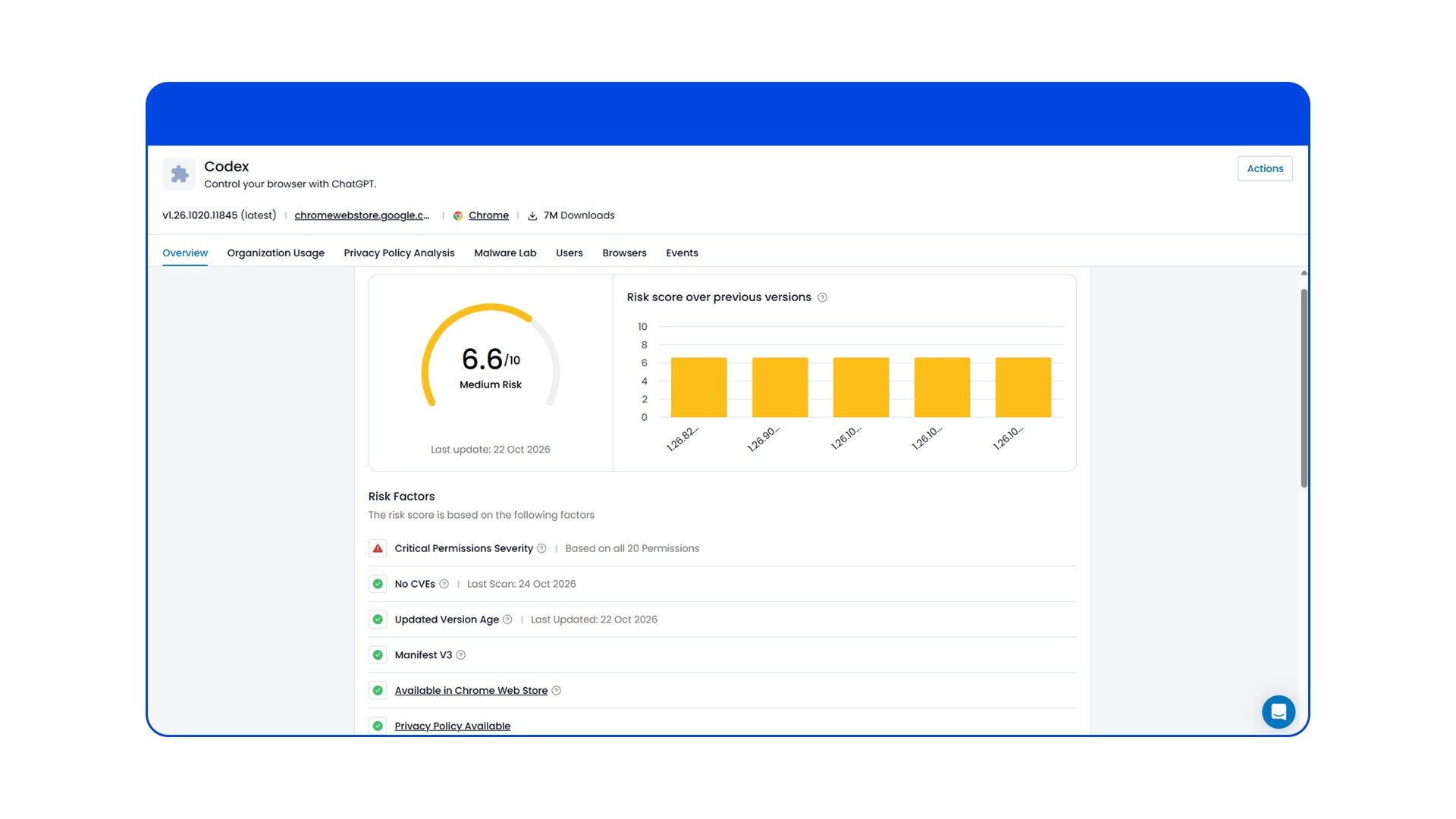
Get full discovery of AI and non-AI browser extensions, automatic risk assessment, and risk-adaptive enforcement to automatically identify and block suspicious extensions.
Why SASE, proxy, and endpoint security miss AI interactions
| Approach | What it secures well | What it misses | Why Workforce Protector is different |
|---|---|---|---|
| SASE/SSE | Network traffic, application access, and connectivity | Prompts, user actions, AI interactions, and in-session data exchanges | Workforce Protector operates at the point of interaction, in real time, not at the network level after data has already left the endpoint |
| Local Proxy | Routed traffic inspection and policy enforcement | Full interaction context and user experience simplicity | Workforce Protector applies controls directly at the interaction layer without traffic redirection or impact on performance |
| Endpoint DLP/EDR/XDR | Files, processes, devices, and endpoint activity | File-less actions such as prompts, text input, copy/paste, and AI usage | Workforce Protector provides the identity and data context that endpoint anti-malware solutions miss |
Frequently Asked Questions (FAQ)
Frequently Asked Questions (FAQ)
Security Service Edge (SSE) solutions inspect network traffic, but encryption often masks them to in-browser prompts and user actions. Workforce Protector operates directly at the interaction layer, securing prompts, file uploads, and data exchanges inside applications.
Many AI security solutions focus on AI traffic or model interactions. Workforce Protector helps secure the AI, SaaS, and web interactions, providing visibility and control across prompts, responses, user actions, applications, browsers, and AI agents.
Endpoint DLP typically focuses on files and traffic. Workforce Protector secures interactions in context, including file-based and file-less activity such as text input, copy/paste, and AI usage.
Workforce Protector is designed to preserve the native user experience while applying monitoring, detection, blocking, and governance controls at the last mile.
Workforce Protector does not require network or architecture changes. It is deployed based on the interaction channel being protected.
Yes. Workforce Protector is designed to work alongside existing IAM/IdP, access management, SIEM, file-labeling, ticketing, and MDM systems.
A secure enterprise browser is a security control that sits inside the browser, where most work now happens, to give security teams visibility into and control over user activity in AI, SaaS, and web applications. The category includes both purpose-built browsers that replace the user’s existing browser and extension-based approaches that add enforcement to the browsers already in use.
Workforce Protector delivers the same last-mile visibility and enforcement without asking users to switch browsers. It installs as an extension on the browsers your organization already runs, so there is no migration, no retraining, and no set of users who quietly keep working in their old browser. That difference usually shows up as broader coverage in practice, because adoption is not the limiting factor.
All common browsers, including Chrome, Edge, Safari, and Firefox, on Windows, macOS, and Linux, with deployment on iOS and Android. It also supports agentic AI browsers such as ChatGPT Atlas, Perplexity Comet, and Dia, and PWA-enabled desktop applications including Microsoft 365, Outlook, Slack, Teams, and VS Code.
Yes. Workforce Protector deploys on both managed and unmanaged devices without installing hardware or software or changing network architecture, which makes it practical for contractors, third parties, and employees on personal devices.
Anti-tampering controls operate at the browser, page, and file-system level to prevent users from disabling the extension, and coverage extends to private and incognito browsing so enforcement does not lapse.
No. Workforce Protector preserves the browser’s native experience. It introduces no traffic rerouting and no proxy, so it adds no latency to user sessions.
Yes. Workforce Protector detects agentic activity, distinguishes it from user activity, controls the AI side panel, and provides visibility into conversations with browser agents, so an autonomous agent acting in the browser is governed by the same policies as a person.
Organizations use Workforce Protector as a stand-alone control or to augment existing security tools. While secure web gateways and CASB tools inspect network traffic and APIs, Workforce Protector provides granular visibility into prompt entries, user identities, and browser extension activity.

Secure AI Interactions
Get a free demo to see how Workforce Protector helps security teams:
- Discover shadow AI and unmanaged usage
- Prevent sensitive data exposure
- Govern AI interactions in real time
- Protect users across browsers and devices
- Accelerate AI adoption with confidence
Schedule your demo in two easy steps:
- Submit the form
- Book a time with our team
