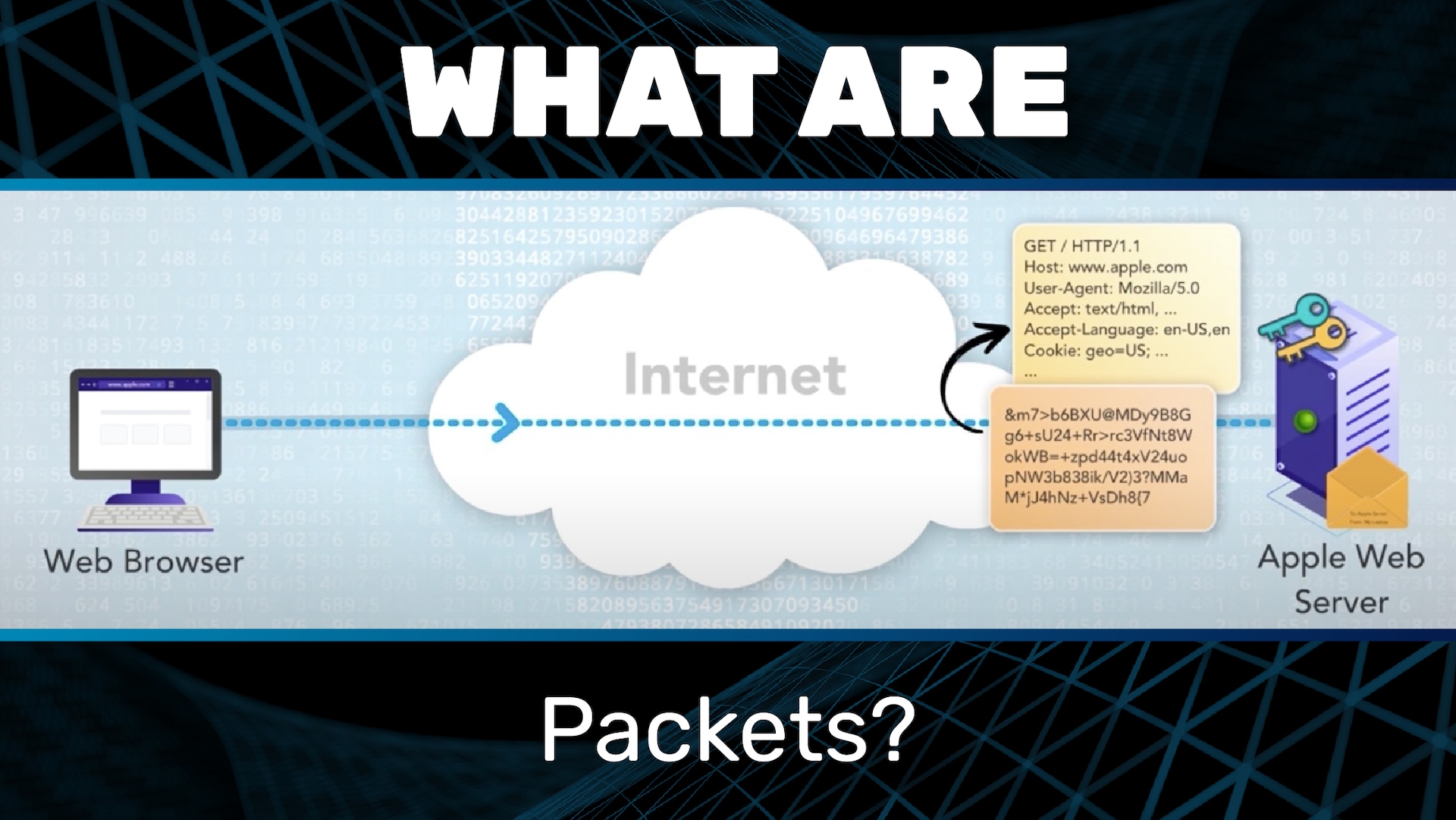
We’re now going to look at the Internet Protocol, IP. We’ll first look at IP packets. Then we’ll look at how packets are addressed, and then finally we’ll look at naming, which is the mechanism by which names are converted into addresses. I am assuming that you have already viewed the presentations on the Web Protocol.
Recall that when we looked earlier at the Web Protocol, HTTP, and HTTPS, and we saw that the Web Protocol involves request and response messages. In order for those messages to traverse the internet, they have to be put into envelopes, and those envelopes have to be addressed. This process is analogous to the postal mail that we’re all familiar with. If I want to send a letter to my sister, I can’t just write “To Joanna” at the top of the letter and hand it to the post office. Instead I have to put the letter into an envelope, and I have to address that envelope in the proper way. When it comes to the internet, these envelopes are called packets. Soon we will look at how packets are addressed. Note also that packets have a fixed maximum size, so long messages have to be broken into multiple packets.
To see how this works, let’s revisit our example. Recall that we started by entering the address in the address bar or clicking on a link, and then the browser sends an encrypted request message to the web server. Let’s now look more closely at this step: sending the encrypted request message.
First, we have to create a new packet and address it. In this case, it is going to the Apple web server, and it is coming from my laptop. Of course, real internet addresses don’t look quite like this, but we’ll get to that. Now, we can place the encrypted request message into the packet. Then we can send the packet to its destination: the Apple web server.
Upon receiving the packet, the Apple web server can then remove the message from the packet and then continue on with decrypting it and reading it.
The exact same process is followed for the encrypted response. In this example, the encrypted response is too big to fit into one packet, so it is broken into two.
A key point is that IP is what’s called a network-layer protocol. Its job is to move data in packets through the internet from source to destination.
IP specifies how the packets are addressed.
IP specifies the maximum packet size.
But IP does not specify or restrict what goes inside the packet. This is a key point.
Things you find inside an IP packet include:
Web request and response messages
Voice over IP (VoIP)
Real-time streaming
Email messages
Domain Name System (DNS) request and response messages
All of these are examples of application-layer protocols.
Layering is a critical concept in communication protocols. Application endpoints speak and understand their application protocols. For example:
Web browsers and servers speak and understand HTTP and HTTPS
Email readers and servers speak and understand the email transfer protocol, which is called (Simple Mail Transfer Protocol, or SMTP)
But network elements such as routers don’t have to speak or understand any of these protocols! They only need to speak and understand the Internet Protocol. Applications look inside the packets whereas network elements look at the outside. Compare this again to postal mail. I could write a letter to my sister using a secret language that only we know, but so long as I put that letter into an envelope that is addressed in the proper way, then the postal service can deliver that letter — no problem. My sister and I look inside the envelope, but the postal service only looks at the outside.
This separation of layers has fueled tremendous innovation. At this point, there are thousands of application-layer protocols, and there are many link-layer protocols. Think of the link layer as the physical connection, such as Ethernet, Wi-Fi, and cellular. But there is only one network-layer protocol, and that is IP.
New applications can easily be layered on top of IP. Anyone can invent a new application protocol, and as long as the messages can be put into IP packets, it will work on the internet. No changes to any network elements, such as routers, are needed. The WWW [World Wide Web] is a great example. When IP and the internet were first created, the WWW didn’t even exist. Then, when Tim Berners-Lee created the WWW, he just had to put his newly invented request and response messages into IP packets. No changes to IP or the internet were needed. The whole thing just worked.
Likewise, new link technologies can be layered below. Anyone can invent a new link technology, and so long as it can carry IP packets, it can be part of the internet and carry any applications. Examples are Wi-Fi and IPoAC.
You haven’t heard of IPoAC? Well, it stands for IP Over Avian Carriers. This was a real proposal, and despite the notable dating of this proposal, it actually makes an important point. If you can get pigeons to carry IP packets, then you could run WWW applications with pigeons. Slow, for sure, but it would work.