

Natalie Zagarov
Natalie Zargarov is a Security Researcher with more than 10 years of experience in cybersecurity as a malware reverser and cyber intelligence researcher.
LayerX Research (now part of Akamai) discovered a coordinated campaign of 32 malicious browser extensions across the Chrome Web Store and Microsoft Edge Add-ons Store, affecting more than 6,150 users.
The extensions masqueraded as benign productivity utilities (e.g., text counters, note-taking apps, YouTube enhancers) to build trust while secretly harvesting data and monitoring user browsing habits.
Static analysis revealed nearly identical codebases, remote configuration endpoints, and Korean-language development artifacts, strongly tying the cluster to a single Korean-speaking threat actor.
Operators used externally hosted configuration files (deobfuscated at runtime) to manipulate web navigation and execute affiliate fraud without needing to push updates through official store review processes.
Mitigating these dynamic threats requires removing unneeded extensions with broad permissions (webNavigation, <all_urls>), monitoring for remote command and control (C2) infrastructure, and expanding browser store reviews to inspect external configuration sources.
Browser extensions have become one of the most effective ways for threat actors to gain persistent access to users’ browsing activity. Unlike traditional malware, malicious extensions inherit users’ trust, execute inside the browser, and often require only a single installation to remain active indefinitely.
During ongoing threat hunting across the Chrome Web Store and Microsoft Edge Add-ons Store, LayerX Research (now part of Akamai) identified a coordinated browser extension campaign consisting of 32 malicious extensions that collectively affected more than 6,150 users.
At first glance, the extensions appear unrelated. They present themselves as productivity tools including text utilities, YouTube enhancements, SEO helpers, note-taking applications, language assistants, markdown utilities, and other browser conveniences. Each uses different branding and advertises different functionality.
Beneath this superficial diversity, however, most of the extensions share nearly identical infrastructure, suggesting they originate from a common development framework. Additionally, all the extensions share Korean localization resources, Korean-language comments, and other development artifacts.
These common characteristics strengthen our assessment that the extensions are part of the same campaign and were developed by the same threat actor, whether an organized group or an individual.
Our analysis shows that the majority of the extensions:
Continuously monitor users’ browsing activity
Retrieve attacker-controlled configuration files from the same remote infrastructure
Decode and cache remote instructions locally
Dynamically determine which websites should trigger additional actions
Share an almost identical background service worker implementation
Use the same telemetry events, storage structures, and navigation logic
Even more concerning, the campaign relies on remote configuration, allowing the operators to modify extension behavior after publication without updating the extension in the browser stores. While we primarily observed browsing telemetry collection and traffic manipulation, the same architecture could easily be repurposed for phishing, malware delivery, or credential theft.
In addition to this primary campaign, LayerX researchers identified another cluster of malicious extensions published under the same publisher account. At the time of analysis, these extensions were primarily engaged in affiliate fraud, automatically redirecting users through affiliate links to generate unauthorized commissions.
The campaign has been active since March 2025 and demonstrates how malicious browser extensions continue to evolve from isolated threats into remotely managed platforms capable of changing functionality long after passing browser store review.
The earliest extensions associated with this campaign appeared in March 2025, with additional extensions continuing to be published throughout the following months.
Rather than republishing the same extension, the operators continuously introduced new variants built on the same underlying framework.
LayerX researchers identified:
32 malicious browser extensions
Distributed through:
Google Chrome Web Store
Microsoft Edge Add-ons Store
More than 6,150 affected users
The extensions masquerade as unrelated utilities, including:
Text counters
Markdown utilities
YouTube enhancements
Video speed controllers
SEO tools
Language assistants
Note-taking tools
Scroll utilities
AI-related helpers
Although the extensions appear unrelated, static analysis revealed that most of them reuse nearly identical background service workers, telemetry logic, storage structures, and navigation handling. Aside from branding assets and their advertised functionality, the underlying implementation remains largely unchanged, strongly suggesting the extensions were generated from a common development framework.
None of the individual extensions appears particularly remarkable when viewed in isolation. Each advertises a plausible productivity feature, uses its own branding, and has a relatively small user base. Only by correlating publisher information, code similarity, shared remote infrastructure, and runtime behavior does the broader campaign become apparent.
Figure 1 illustrates how modern browser extension campaigns can remain hidden in plain sight by distributing malicious functionality across numerous seemingly unrelated extensions.
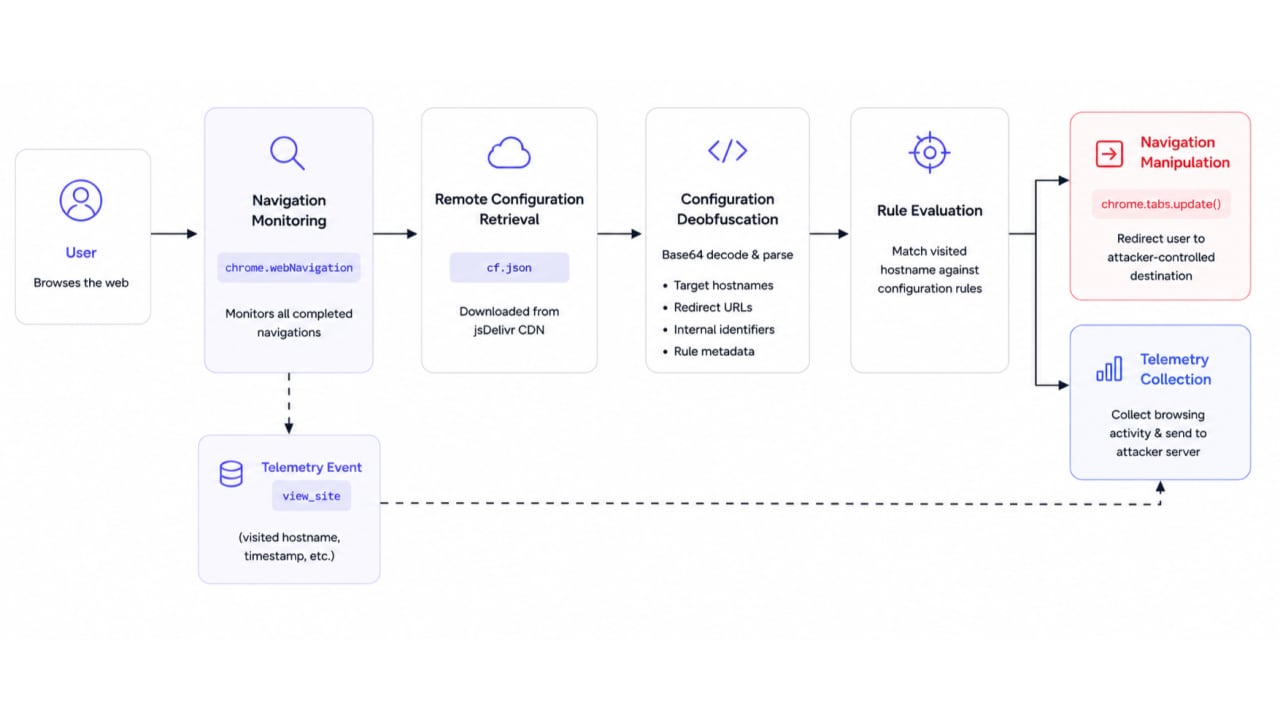
Analysis of the shared codebase revealed four core capabilities that appear consistently across most variants:
Active C2 — remote configuration retrieval
Configuration deobfuscation
Browsing activity monitoring
Remote-controlled navigation manipulation
Rather than embedding operational logic inside the extension package, most of the extensions retrieve a remote configuration file from the same jsDelivr-hosted endpoint (Figure 2)
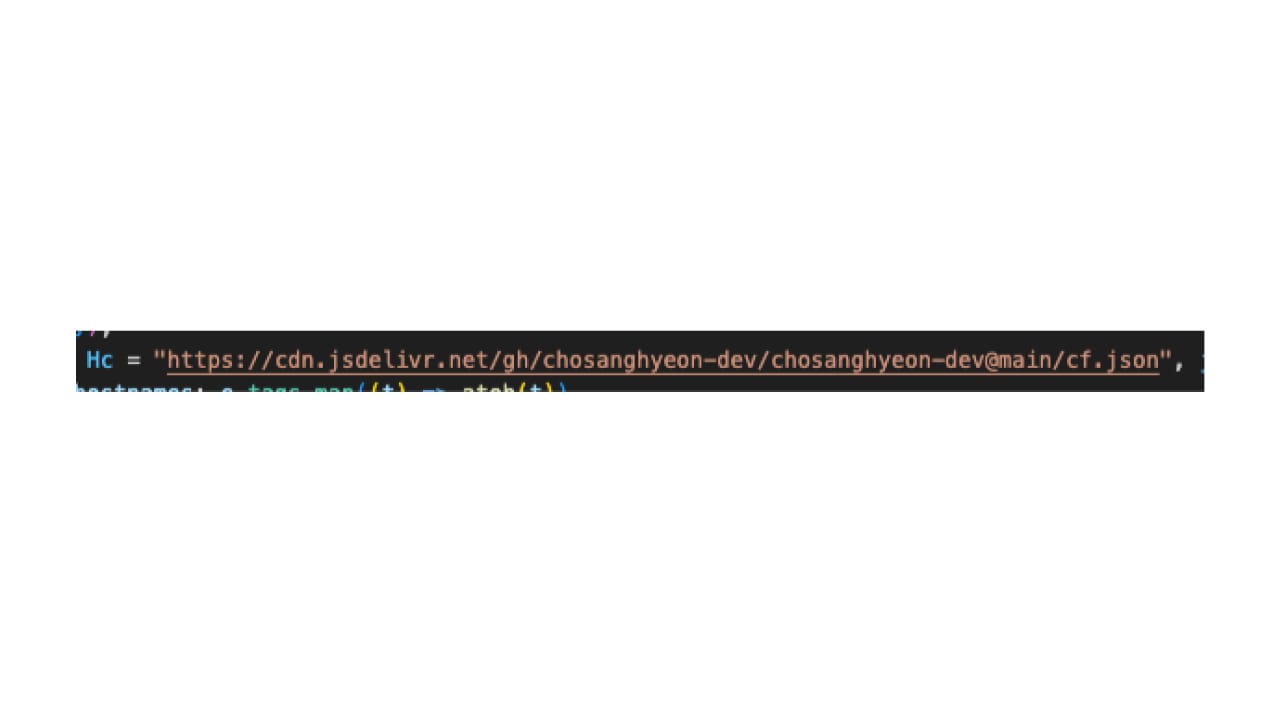
Once downloaded, the configuration is parsed and cached locally:
await chrome.storage.session.set({
    nav_cfg_cache: parsedConfig
});Using a remote configuration significantly increases the flexibility of the campaign. Instead of publishing a new extension version through the Chrome Web Store or Microsoft Edge Add-ons Store, the operators can simply modify the configuration file to change the extension’s behavior. This allows them to immediately update targeted websites, redirect destinations, or campaign logic without triggering another browser store review.
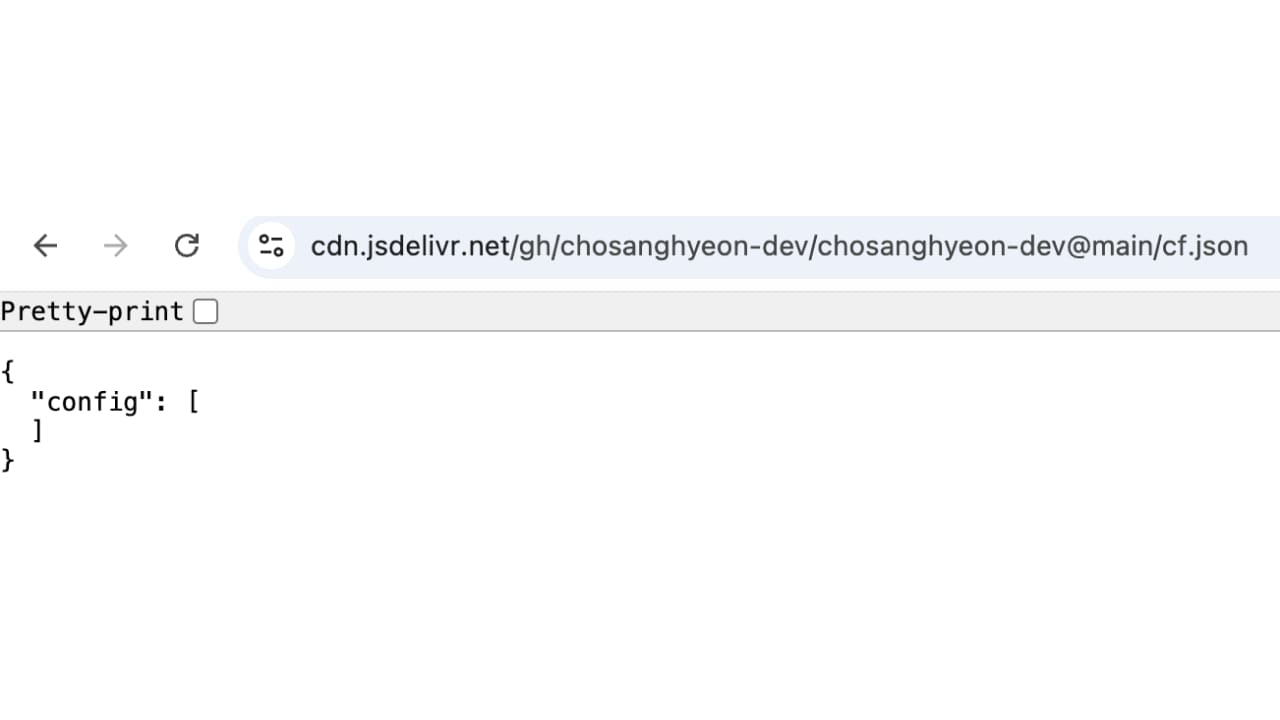
During our investigation we observed the remote configuration change multiple times. At one point, the configuration was completely empty, suggesting the infrastructure was temporarily disabled or reset (Figure 3).
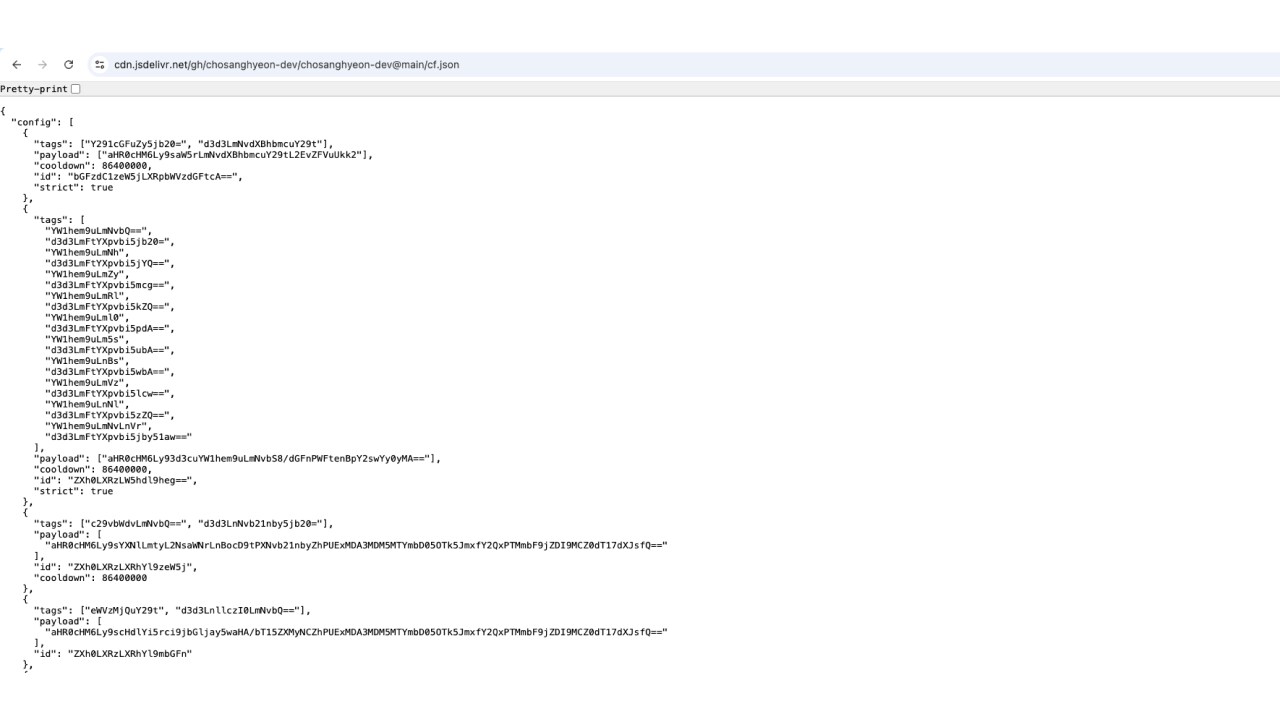
Several days later, it contained rules for affiliate traffic redirection. This demonstrates that the campaign’s behavior is actively managed through the remote configuration rather than being statically embedded inside the extensions (Figure 4).
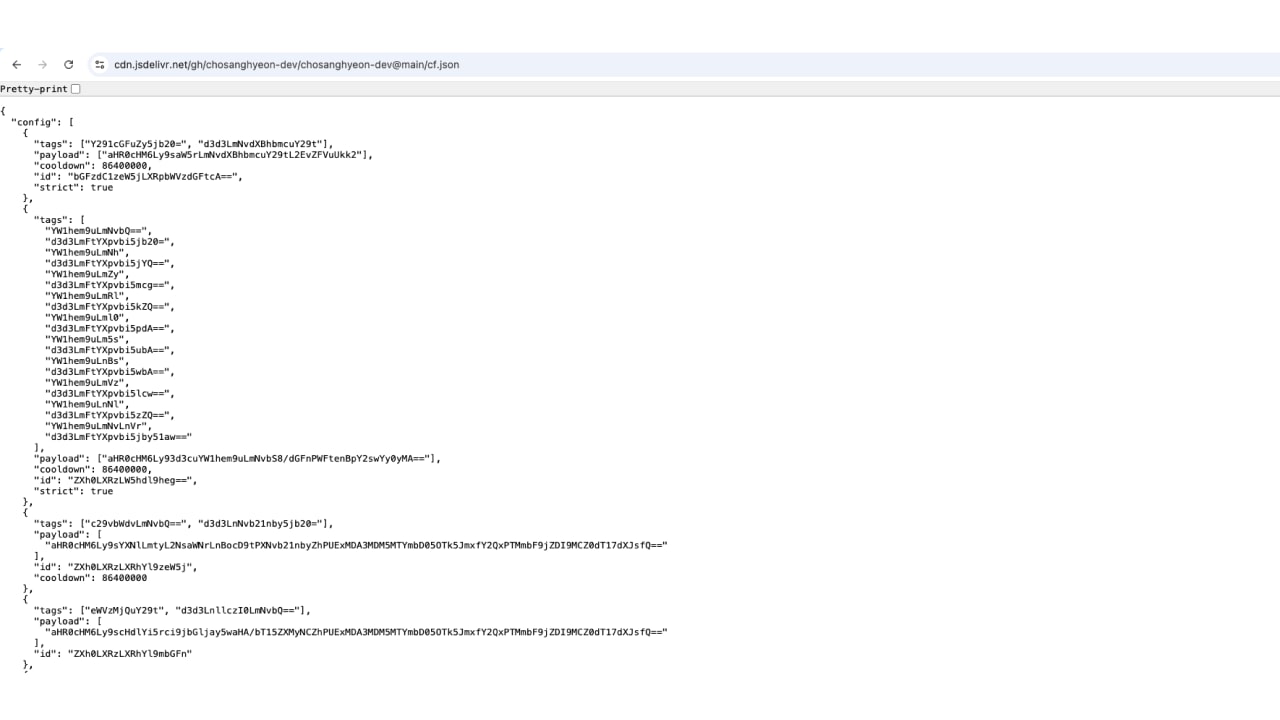
The downloaded configuration does not contain plaintext values. Instead, hostnames, redirect payloads, and internal identifiers are Base64 encoded and reconstructed at runtime (Figure 5).
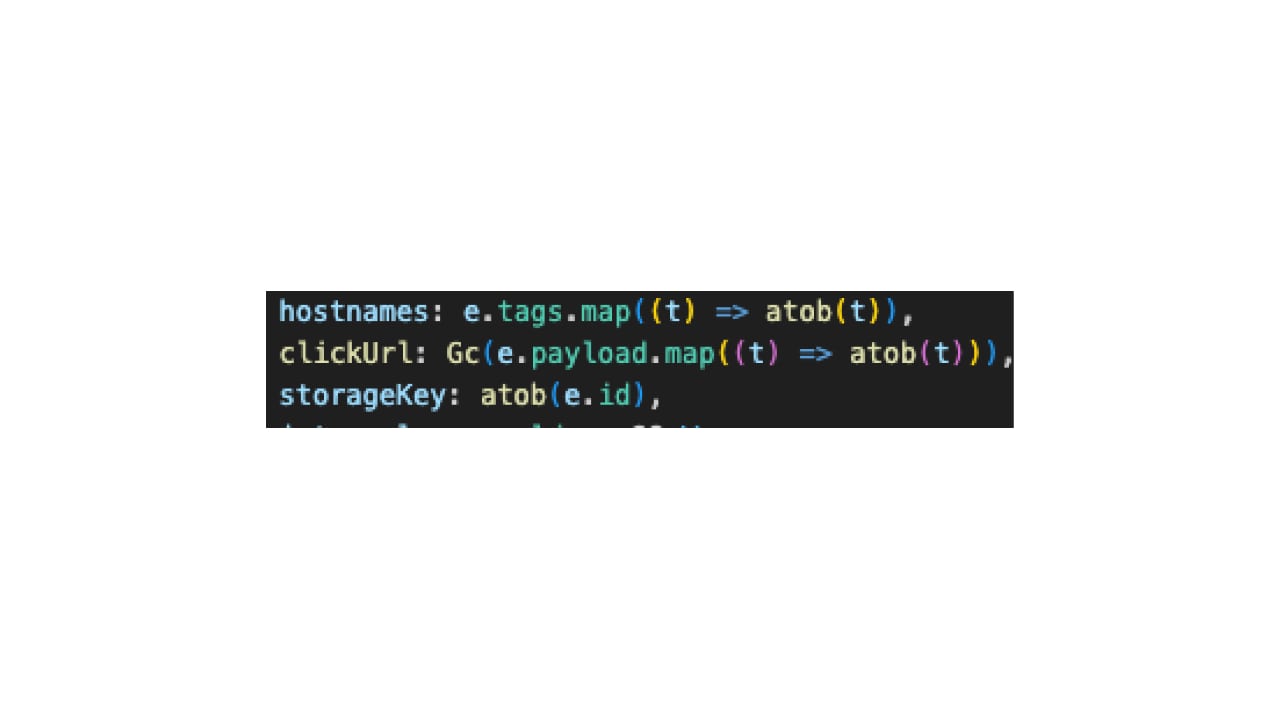
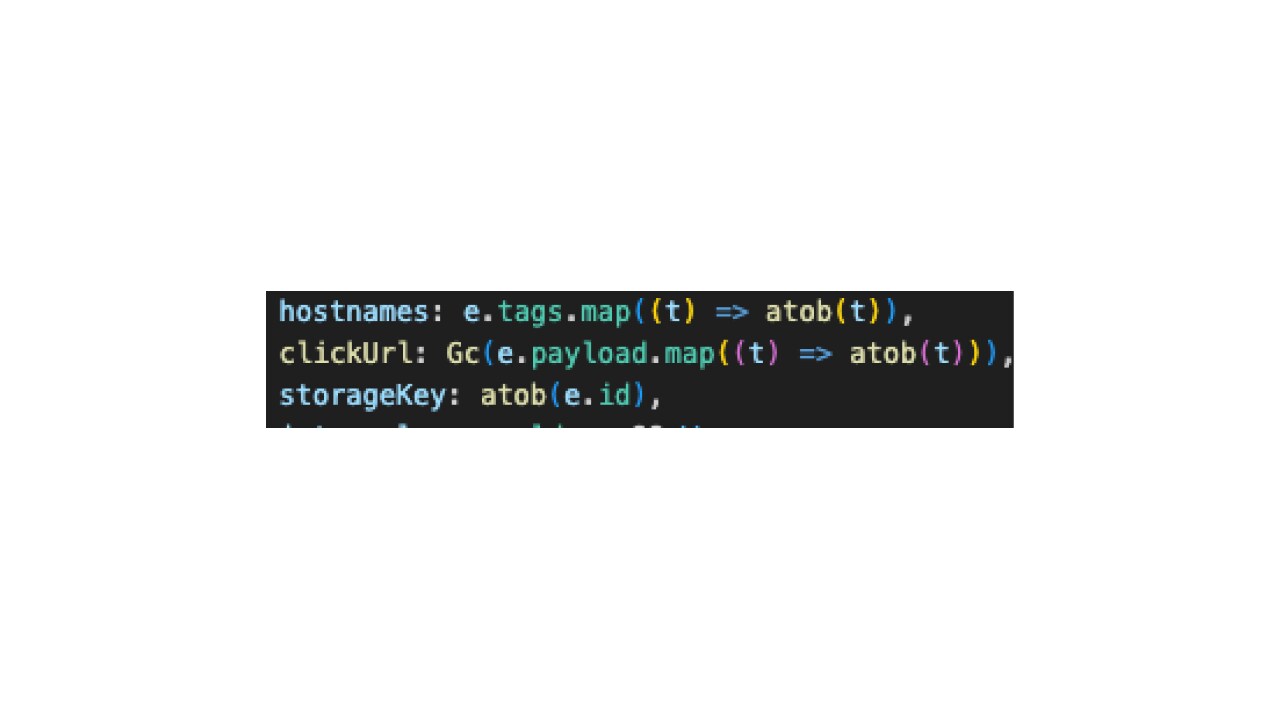
Base64 encoding provides no cryptographic protection and offers no functional benefit for the extension itself. Instead, it raises the effort required for manual inspection and automated static analysis by concealing targeted domains and redirecting payloads until runtime.
The decoded values are then used to reconstruct the navigation rules applied throughout the remainder of the extension’s execution.
After initialization, the background service worker continuously monitors users’ browsing activity using the webNavigation API (Figure 6).
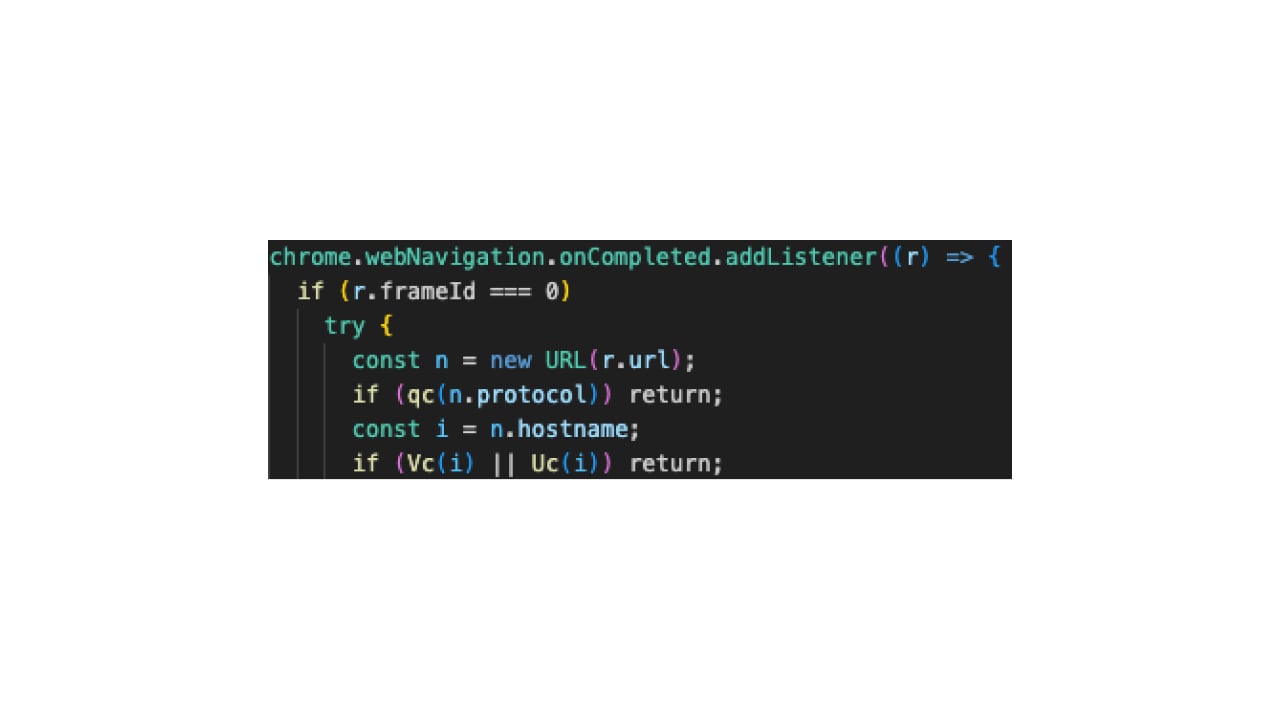
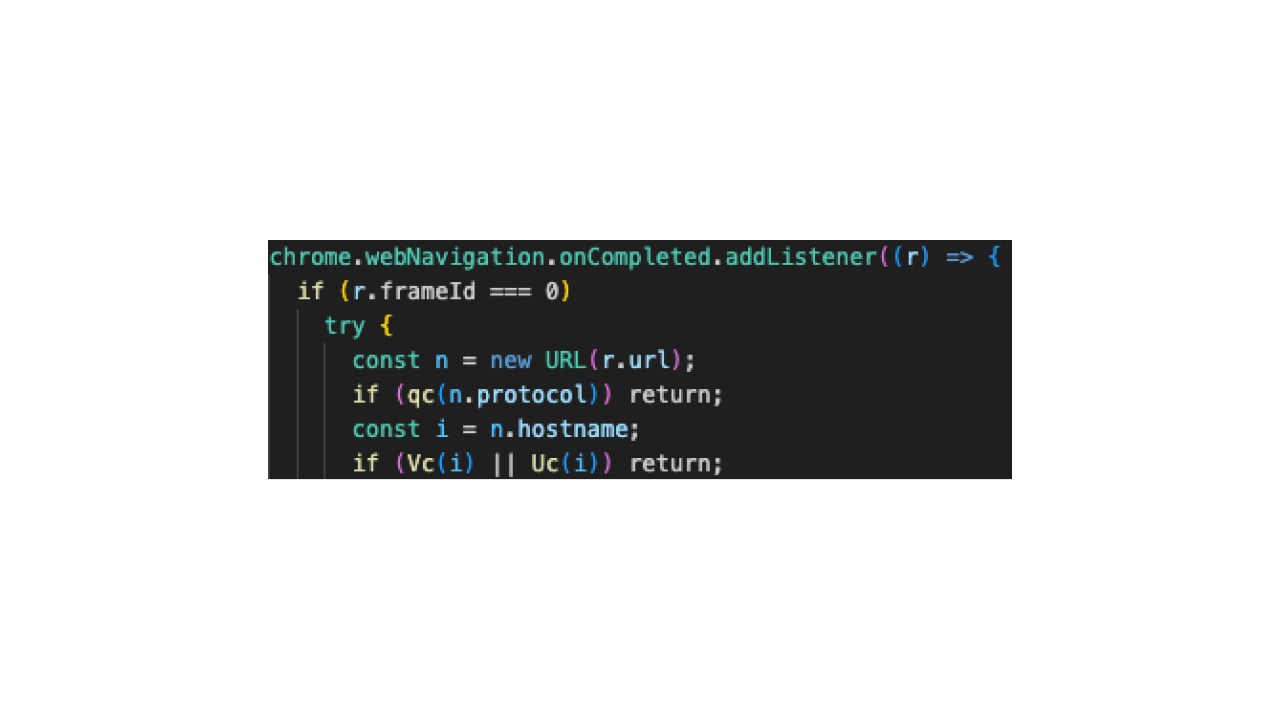
Because every completed navigation is processed, the extension effectively observes a user’s browsing session regardless of whether the visited website is related to the extension’s advertised functionality (Figure 7).
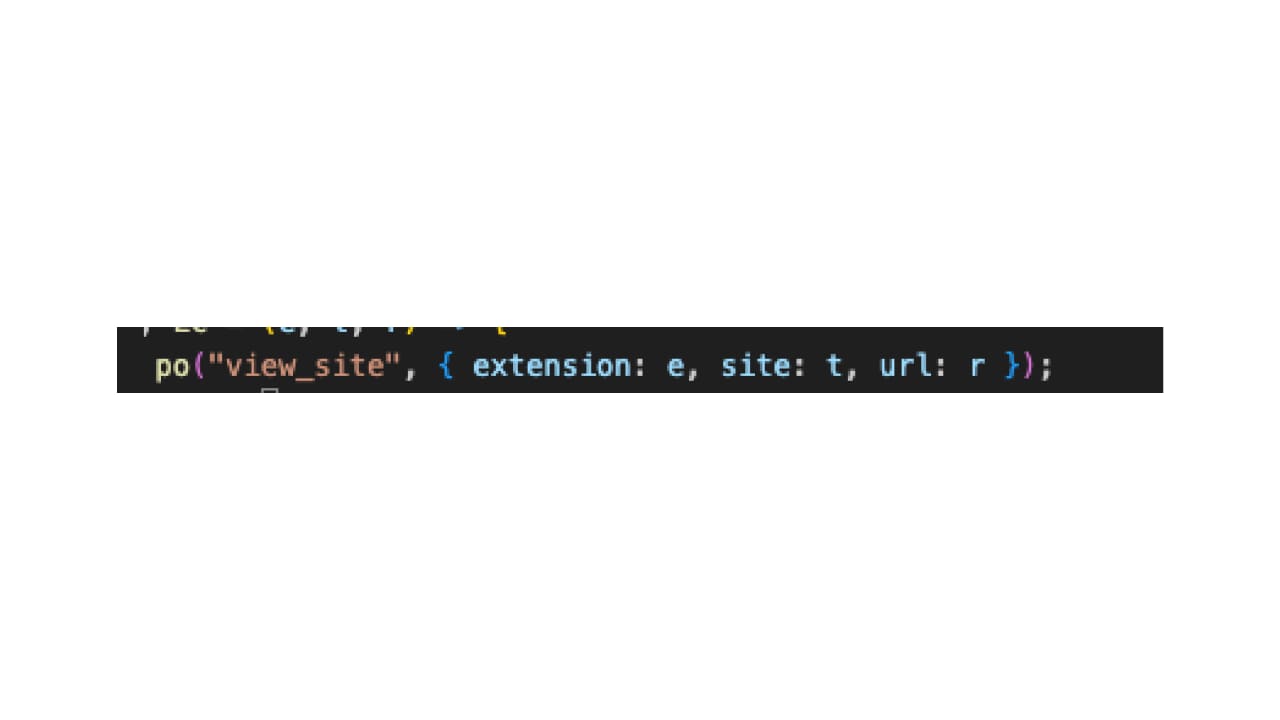
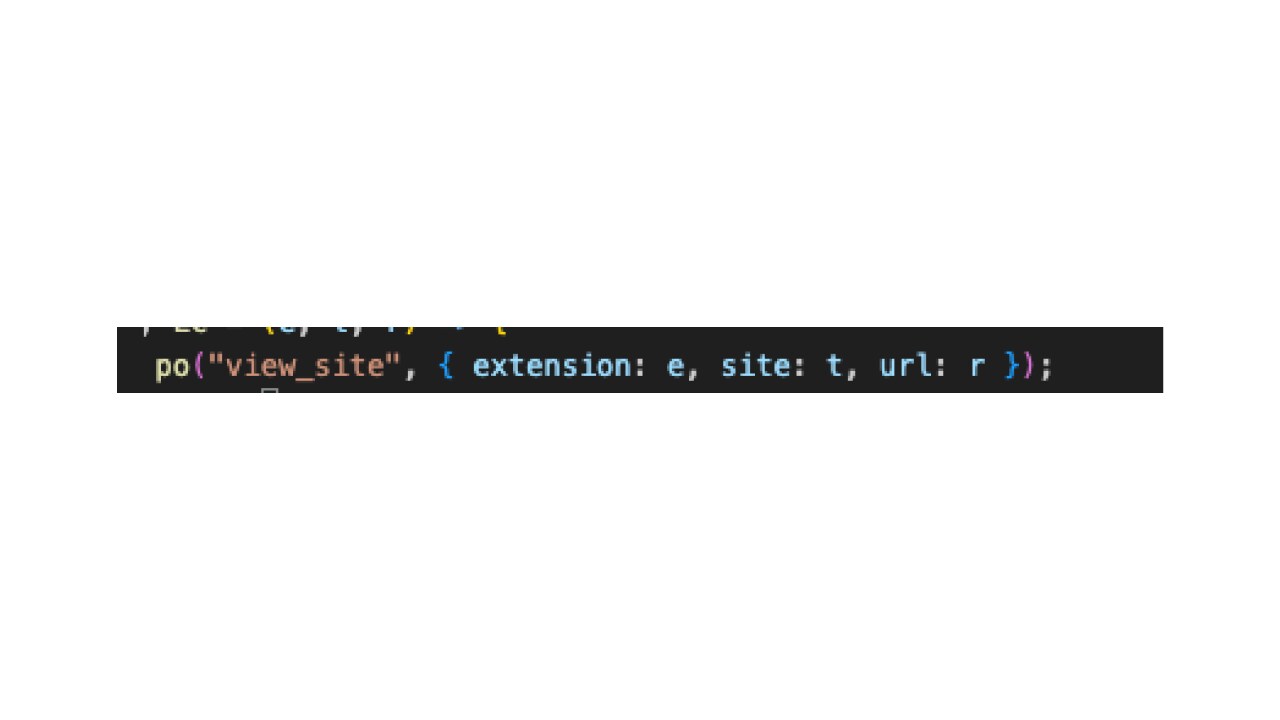
Once a hostname matches one of the remotely supplied rules, the extension invokes chrome.tabs.update() to silently replace the active tab.
Unlike hard-coded redirect campaigns, the destination URL is reconstructed dynamically from the downloaded configuration rather than being embedded inside the extension.
Because redirect destinations are supplied remotely rather than embedded in the extension, the operators can change campaign targets at any time without publishing a new browser store update.
Attribution is inherently challenging; however, in this case, multiple pieces of evidence link this campaign to a Korean-speaking threat actor, whether an organized group or an individual. Observed indicators include:
Korean-language identifiers within the codebase
Korean localization resources
Korean comments and development artifacts
Use of Korean shopping services in the affiliate cluster
The strongest technical linkage across the campaign is the shared remote configuration endpoint together with the nearly identical implementation of the background service worker.
The reuse of code, infrastructure, telemetry, and storage design strongly indicates centralized development by a single threat actor or closely coordinated group rather than unrelated extension publishers.
This campaign demonstrates how modern malicious browser extensions have evolved from isolated pieces of malware into remotely managed platforms. Despite presenting themselves as unrelated productivity tools, the extensions share the same infrastructure, codebase, and remote configuration framework.
Rather than embedding malicious logic directly inside the extension, the operators externalized critical behavior into attacker-controlled configuration files, allowing the campaign to evolve long after passing browser store review.
Combined with the discovery of an additional affiliate fraud cluster operated by the same publishers, these findings suggest an active ecosystem capable of supporting multiple monetization and attack strategies simultaneously.
| ID | Name | Installs | Store |
|---|---|---|---|
ID | Name | Installs | Store |
dblfldpldecohjpjgmhnigajjdjloega | Youtube Detox: Reclaim Your Time, Stay Focused! | 56 | Google Chrome |
ofgiffiieajicdflklkoapgndinhfacm | Eye Rest Reminder
| 91 | Google Chrome |
nokclhllnnnahhfbpibpmnahpepahklo | Youtube Detox: Reclaim Your Time, Stay Focused!
| 25 | Microsoft Edge |
kdkfbahpggclmigankbnjgmhimfoijkk | Eye Rest Reminder
| 24 | Microsoft Edge |
hgcmokdfbgnakiifclhfifdphfofmngp | Quick Memo
| 89 | Google Chrome |
ffjagifkdpammmgijbglgkklomipinem | Quick Memo
| 127 | Microsoft Edge |
mfnlknmbkfnlgcjebdogolbakcekohfj | KoreaDropdown
| 825 | Google Chrome |
ddbhcdcfllihhljfboihdbpfddibkjjg | Language Learning
| 38 | Microsoft Edge |
ekoglbhkaeljnakpledcdpfojbjdllmb | YouTube Summary
| 51 | Microsoft Edge |
pllpmojagjlnbclefckhdebmlkjhhcfh | Air Quality Monitor | 17 | Google Chrome |
cogfipmojjaephpnihpeemgdmofhnaaj | SnapShot | 69 | Google Chrome |
pppcpccgdjdniohmegcejgamdnhilkml | SnapShot | 18 | Microsoft Edge |
coohonllohmhpbklloifbjjibeggijol | Copy as Markdown
| 102 | Microsoft Edge |
bjdlhcllmhaiigiaibaoihlmheomjjgo | YouTube Enhancer
| 32 | Microsoft Edge |
bodnffdkjnpeholiplcncfegnliheamk | SEO Toolkit
| 35 | Microsoft Edge |
ahagmkpannaempjmlijhejhaajoiibel | Text Counter - Word & Character Count | 8 | Microsoft Edge |
ahemlacbncnpikgfoegfjfendahcahdl | Web Highlighter - Highlight Text on Pages
| 10 | Microsoft Edge |
ieigeddfggngchfecpibaikoebaenpgm | Page Ruler - Measure Pixels on Screen | 27 | Microsoft Edge |
bahnaggfidlcllmceahngpllpaahkbkd | Video Speed Controller - Playback Speed
| 13 | Microsoft Edge |
pncbphagfmgfopmhlbkifoonnbfdihbm | Tab Manager - Organize & Search Tabs | 5 | Microsoft Edge |
hbjfkpmmomlaghbembkhhaaegbnlaicf | Scroll to Top - Back to Top Button | 35 | Microsoft Edge |
nehmipanmmnkdpbjjfinnnlficndfhhd | Web Highlighter - Highlight Text on Pages | 60 | Google Chrome |
eobmkhocignkllbfigodhemdefbjldcb | Video Speed Controller - Playback Speed | 108 | Google Chrome |
gajghfhmgcemdgjkamllmoejhkklphnc | Holiday D-day
| 18 | Google Chrome |
pifjjafdfdkglnnkeahlcndkmknlgocm | Reaction Time Test - New Tab Game | 60 | Google Chrome |
ndoihodpeipgbogeecdiphdkjpcjoofp | Page Ruler - Measure Pixels on Screen | 38 | Google Chrome |
bjokekhmbkkgohiedecgkkfgppoghjji | Reading Time — Article Read Time Calculator | 19 | Google Chrome |
efieelkohffbjnblcmomcejjbapaipnh | Scroll to Top - Back to Top Button | 11 | Google Chrome |
gbgdekgkmaaamplkcdaanpdokmjjcdbm | Image Downloader - Save All Images | 29 | Google Chrome |
fkddfdhkgfneiibakfdhgpbkkcnnlook | GitHub 한국어 (GitHub Korean) | 4,000 | Google Chrome |
ebkkpkifaojdccgpaldnpclompdojmbh | SEO Toolkit
| 22 | Google Chrome |
iclkfegmbldfjjlgngidahinmhogbfna | Auto Scroll - Hands Free Page Scroller | 78 | Google Chrome |
jocoenanieejnoookkphbljadiahaopd | YouTube Summary
| 27 | Google Chrome |
https://cdn.jsdelivr.net/gh/chosanghyeon-dev/chosanghyeon-dev@main/cf.json
https://link.coupang.com/a/dUnRI6
https://link.coupang.com/a/ej6z6U
api.pvmf.workers.dev
indie05hacker@gmail.com
| Tactic | Technique |
|---|---|
Initial access | LX3.003 (T1199) — Trusted relationship |
Defense evasion | LX7.003 (T1140) — Code obfuscation/deobfuscation |
Defense evasion | LX7.021 — Deceptive traffic laundering |
Credential access | LX8.008 — Network tampering |
Collection | LX10.012 (T1114) — Web communication data |
Users should carefully review the browser extensions installed in their environment and remove those that are no longer needed, particularly extensions that request broad permissions, such as <all_urls>, webNavigation, or tabs that are unrelated to their advertised functionality.
Organizations should continuously monitor browser extensions for suspicious permission combinations, remote configuration retrieval, and navigation manipulation capabilities, while treating remotely controlled extensions as persistent attack platforms rather than static browser add-ons.
Browser vendors can further reduce the risk by identifying extension families based on shared code and infrastructure, and by expanding review processes to inspect externally hosted configuration files that can alter extension behavior after publication.

© 2026 Akamai Technologies