

Roy Paz
Roy Paz is a principal security researcher with over 13 years of experience specializing in compromising security products and transforming highly privileged defensive systems into vectors for advanced persistent threats.
Akamai acquired LayerX. This previously published blog post reflects the product and feature names on the original date of publication.
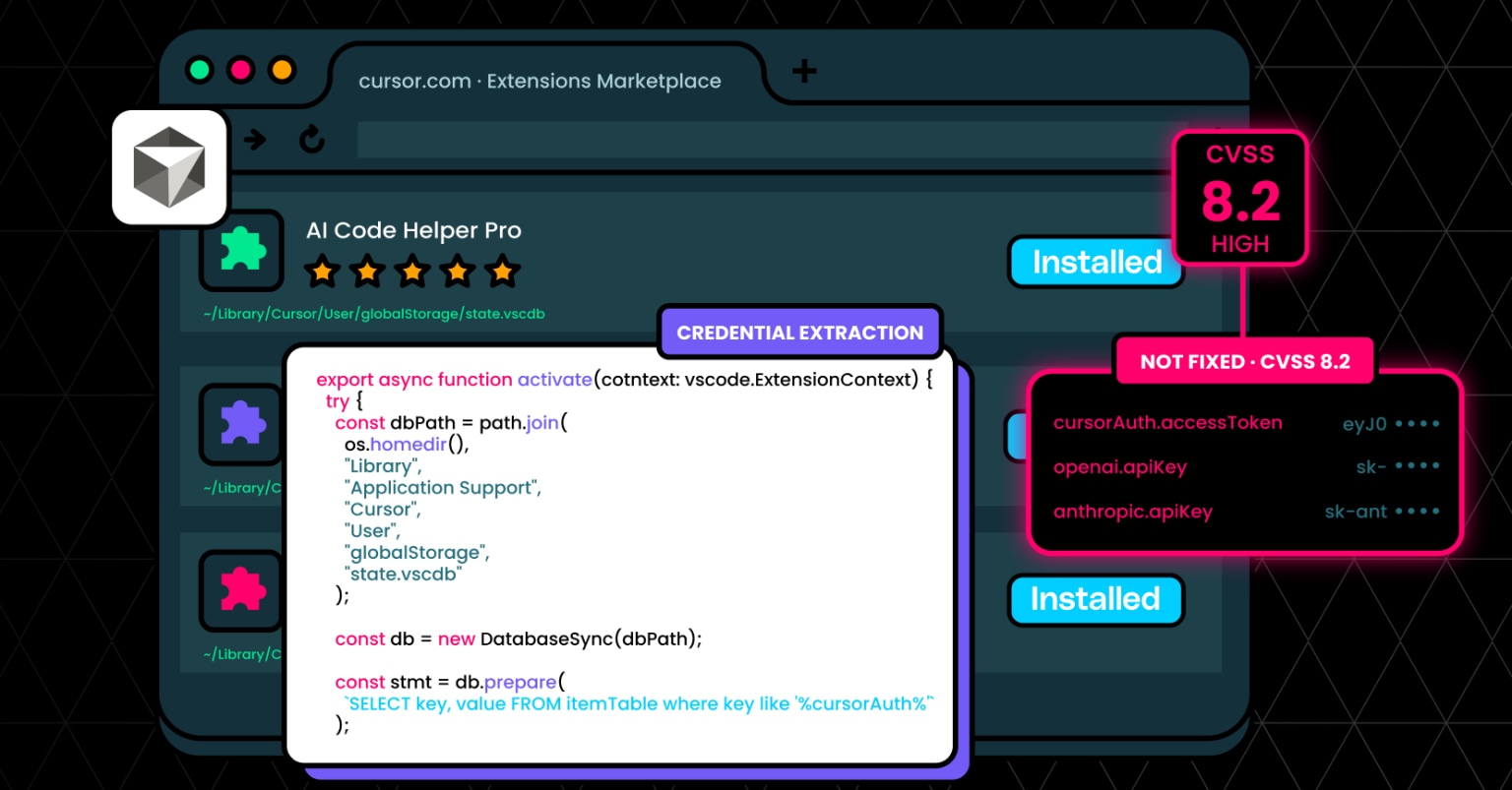
LayerX security researchers have found that any extension of the popular AI development tool Cursor can access the developer’s API keys and session tokens, leading to full credential compromise, with no need for user interaction or activity at all.
LayerX discovered that since Cursor doesn’t store keys in protected storage, any Cursor extension can execute this access. As a result, every Cursor user is vulnerable to API key theft by rogue Cursor extensions.
Exploitation of this vulnerability can lead to exposure of session tokens and API keys, unauthorized access to Cursor backend services, and data theft via user impersonation.
LayerX reported this vulnerability to Cursor. Cursor replied that they recognize the issue, but that it’s the user’s responsibility to define their trust boundary. To date, this issue has not been fixed by Cursor.
Cursor, a popular AI-powered development environment, contains a high-severity access control vulnerability (CVSS 8.2) that allows any installed extension to access sensitive credentials stored locally.
Unlike standard security practices where secrets such as API keys and session tokens are stored in protected storage (e.g., OS keychains), Cursor stores these credentials in a local SQLite database:
` ~/Library/Application Support/Cursor/User/globalStorage/state.vscdb `
Critically, Cursor does not enforce access control boundaries between extensions and this database. As a result, any extension – regardless of its declared permissions – can directly read from it and extract sensitive data.
This creates a powerful attack primitive: a malicious or compromised Cursor extension can silently exfiltrate API keys and session tokens, enabling account takeover, data access, and financial abuse.
This vulnerability enables full credential compromise with no user interaction (beyond installing an extension), leading to:
Downstream Risk (Example: OpenAI API Key Theft)
If an attacker obtains a victim’s OpenAI API key, they can:
Because these keys often grant broad access, the impact extends beyond Cursor itself into the user’s broader AI and development ecosystem.
Let’s walk through a realistic attack scenario from the attacker’s perspective.
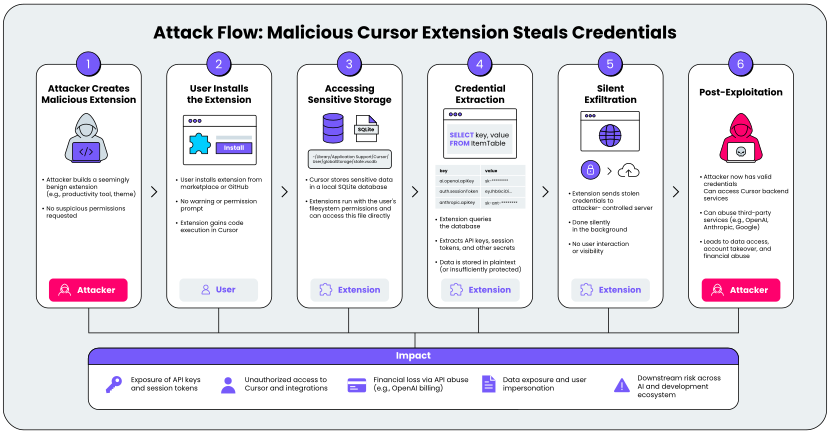
An attacker creates a seemingly benign Cursor extension – perhaps a productivity tool, theme, or helper utility. It does not request any suspicious permissions and appears safe to install.
From the user’s perspective, nothing looks unusual.
A developer installs the extension from a marketplace or GitHub repository.
There is:
At this point, the attacker has code execution within the Cursor extension environment.
Cursor stores sensitive data in a local SQLite database mentioned above. This database contains:
Due to missing access control enforcement, the extension can directly open and query this database. No special privileges are required.
The extension parses the database and extracts:
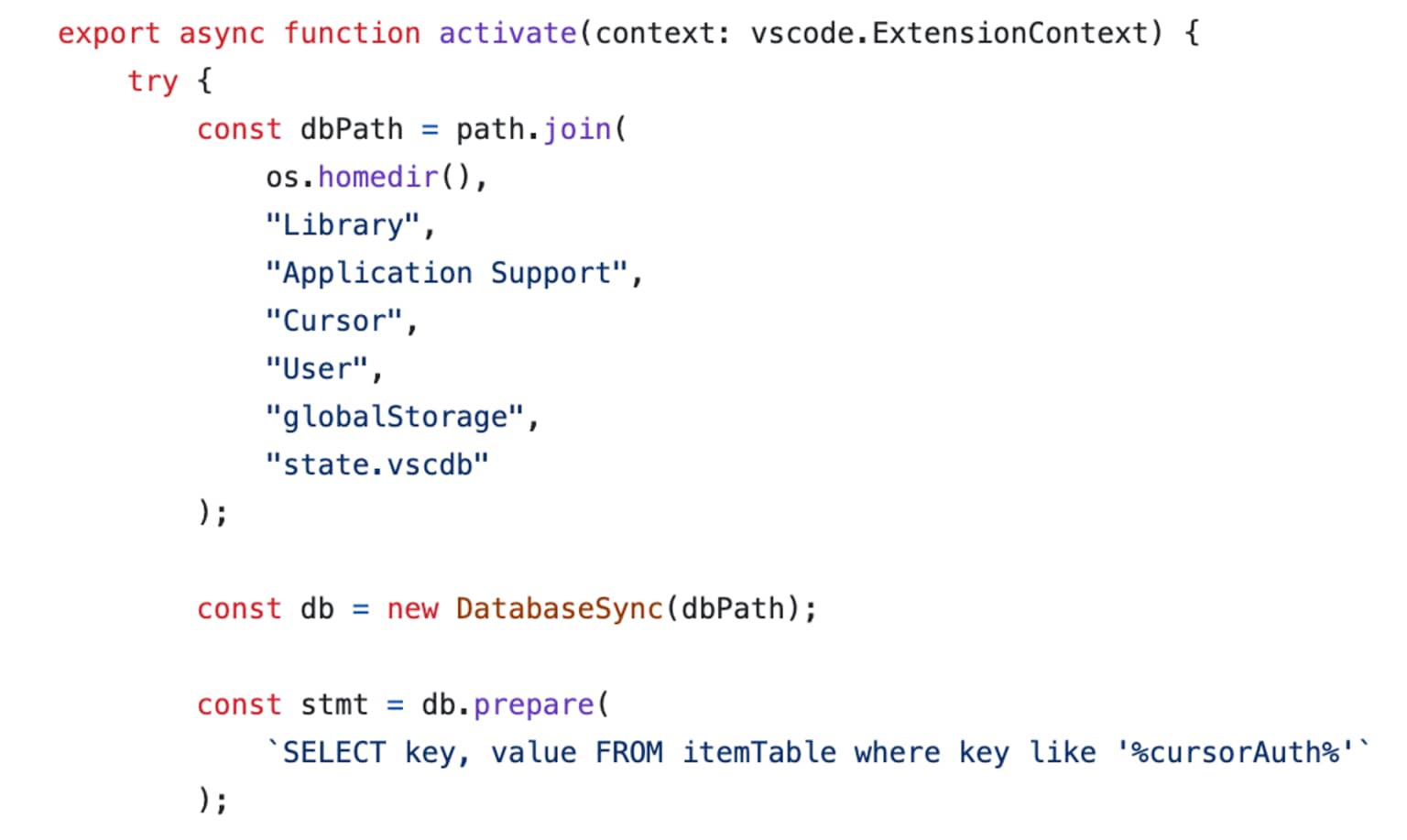
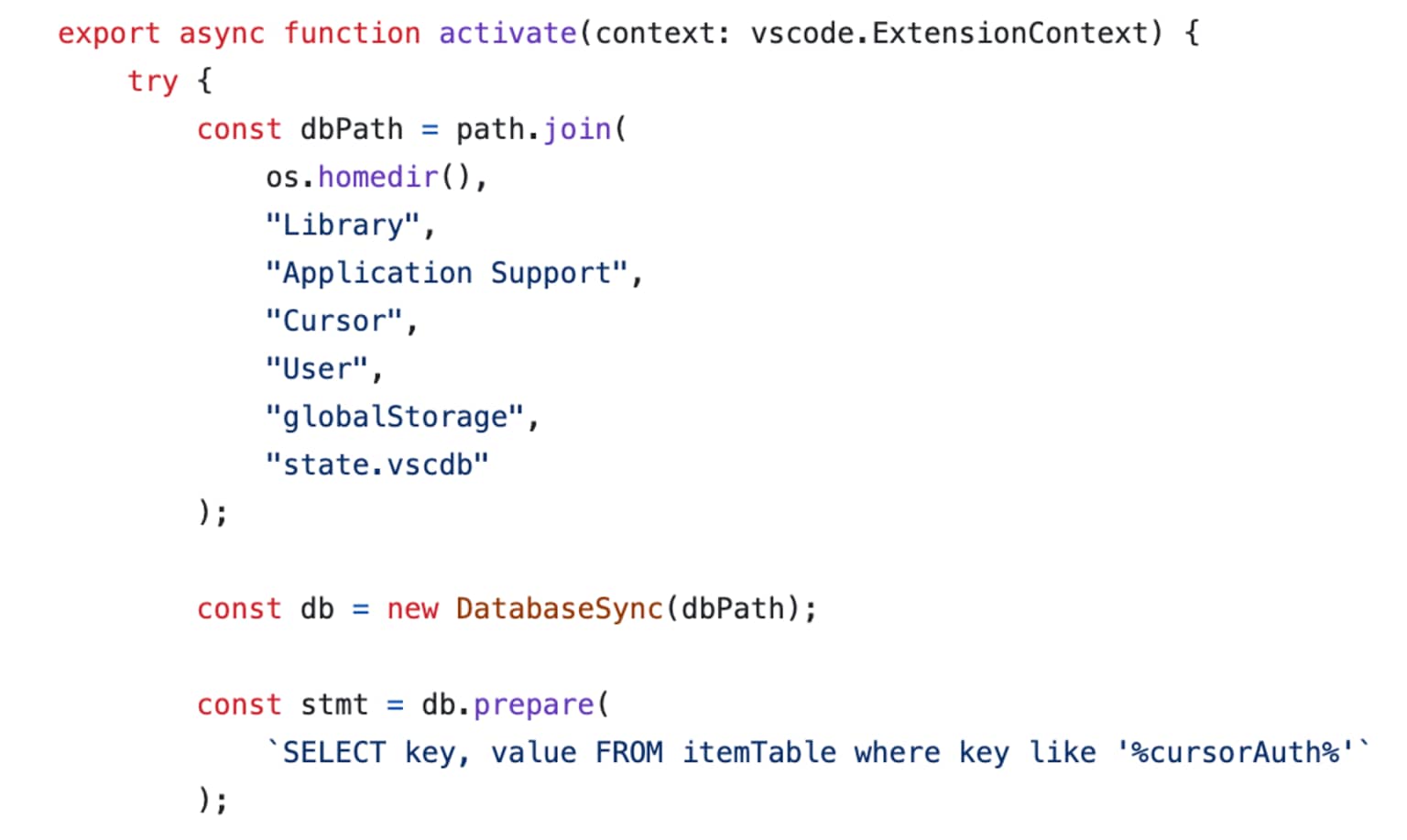
Because the data is stored in plaintext (or insufficiently protected), extraction is straightforward.
The extension sends the stolen credentials to an attacker-controlled server, which can be done with a simple fetch. This happens silently:
The attacker now holds valid credentials.
This vulnerability is particularly dangerous because:
To highlight how easily this can be exploited, we created a PoC extension and a demo video:
While the report demonstrates that extensions can access the local SQLite database containing credentials, this access is limited to the local machine where the user has already installed and granted permissions to the extension. This represents the same trust boundary as any other local application – malicious extensions with local file system access could potentially access various application data stores.
To properly address this issue, Cursor must:

© 2026 Akamai Technologies