

Michelle Warburg
Strategy Director at LayerX, bringing 15 years of experience in the cybersecurity including research, threat intelligence, incident response, and data loss prevention (DLP).
Akamai acquired LayerX. This previously published blog post reflects the product and feature names on the original date of publication.
LayerX has identified over 40 malicious browser extensions that are part of three distinct phishing campaigns.
The initial detection of this campaign was done by the DomainTools Intelligence (DTI) team, who identified a list of suspicious domains that were communicating with browser extensions masquerading as legitimate brands. However, while the research by DTI provided a list of malicious domains, it did not identify the full list of individual malicious extensions.
Building on DTI’s initial research, LayerX investigated the flagged URLs to unearth the actual Chrome extension metadata. By analyzing the associated extension pages, LayerX has been able to identify:
This investigation revealed 40+ malicious extensions, many of which are still live on the Google Chrome Store.
The full list of extensions is provided at the bottom of this post.
Upon closer analysis of the extension pages and behaviors, LayerX uncovered several important patterns and insights:
The malicious extension pages exhibited a highly similar structure, formatting, and language, pointing to the likelihood that they were auto-generated using AI tools. This tactic enabled threat actors to rapidly scale their efforts across dozens of fake tools with minimal manual effort.
The extensions were carefully crafted to mimic well-known platforms, including:
By riding on the trust of established names, these malicious tools effectively bypassed user suspicion and evaded scrutiny during installation.
It’s not just that they tried to masquerade as known legitimate extensions and/or brands, they tried to make themselves lookalike:
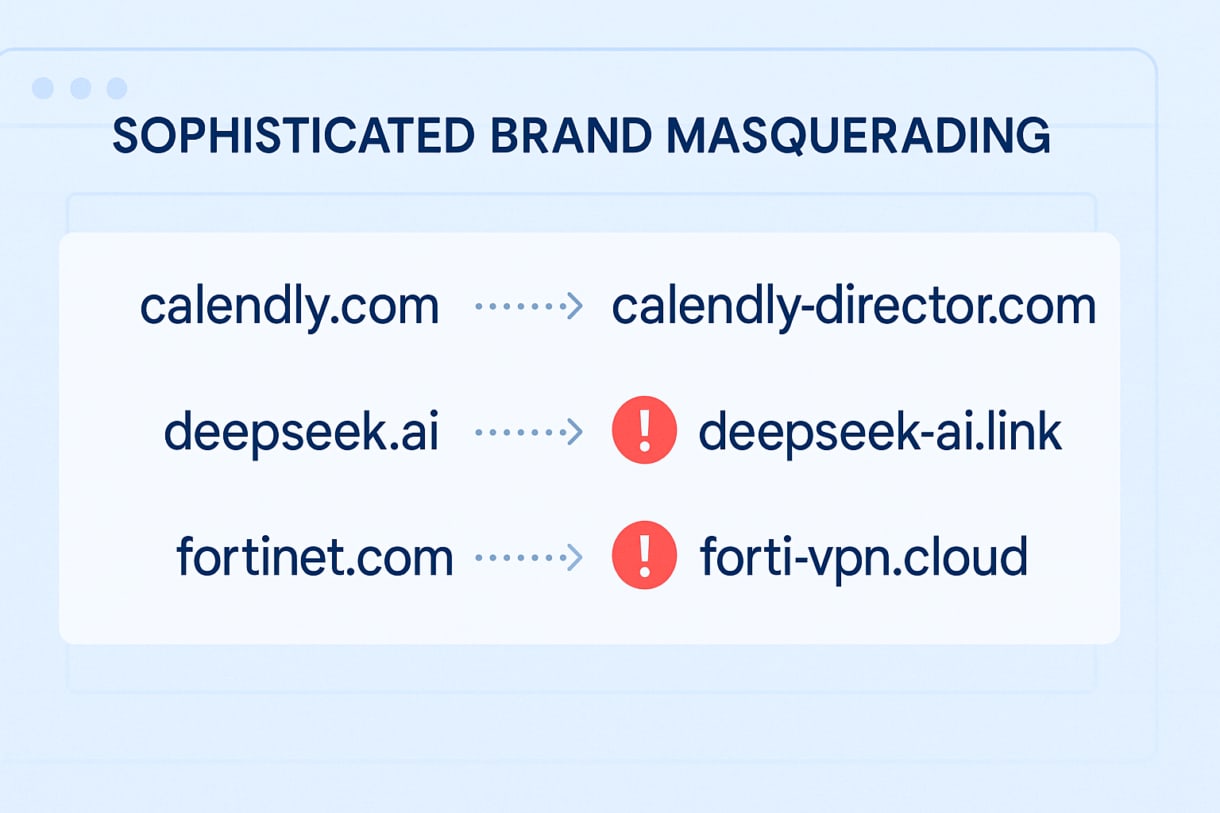
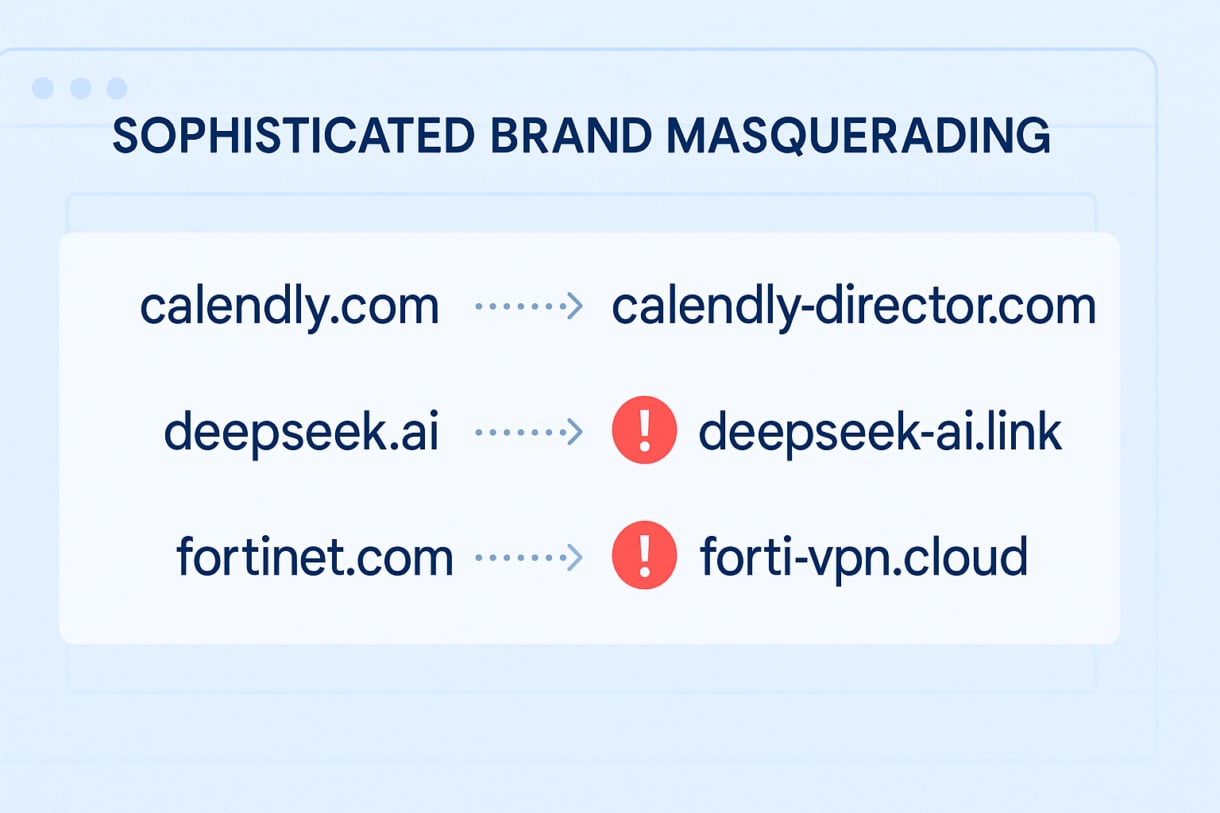
These extensions grant attackers persistent access to user sessions, allowing for data theft, impersonation, and potential entry into corporate environments.
The current wave of malicious extensions highlights a key blind spot in many organizations’ security posture: the browser itself. Here’s how organizations can take proactive steps to mitigate the risks:
Organizations can manually block malicious extensions through MDM or browser policy enforcement. However, this method is often labor-intensive, requiring security teams to track extension IDs, monitor new threats, and respond in near real-time.
Adopt basic hygiene policies for browser extensions:
While some compromised extensions have already been removed from the Google Chrome Store, removal from the store does not remove active installations from users’ browsers. Therefore, users and organizations must manually go in and remove them.
LayerX provides a purpose-built browser security platform that continuously monitors and evaluates extensions in real-time. It offers full discovery of all extensions, automatic risk classification, and granular enforcement options to block malicious extensions.
Among other capabilities, it can:
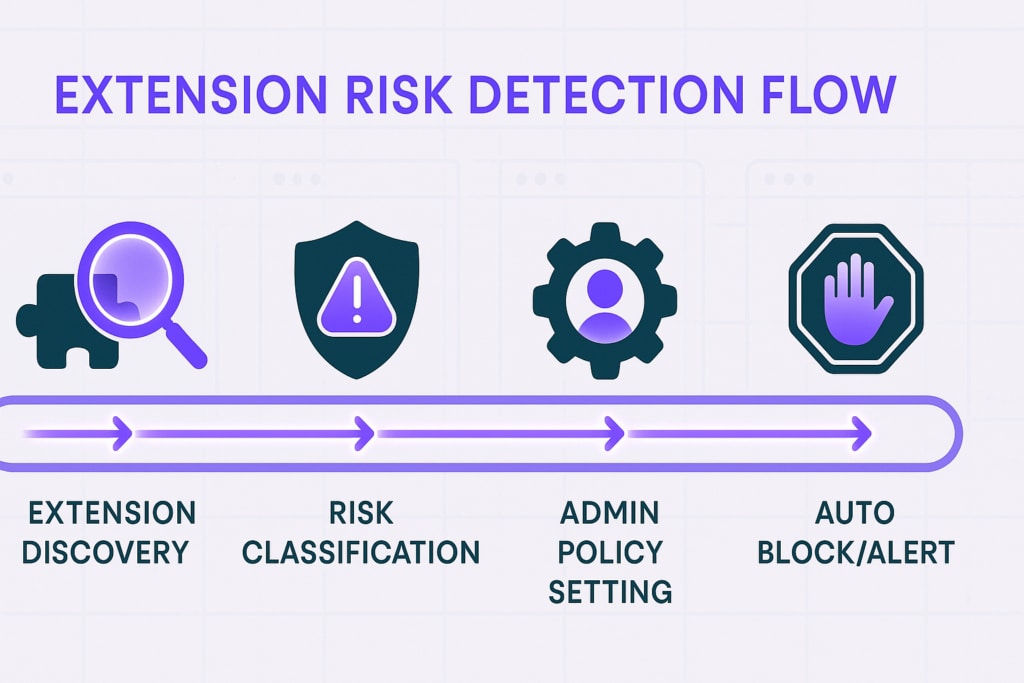
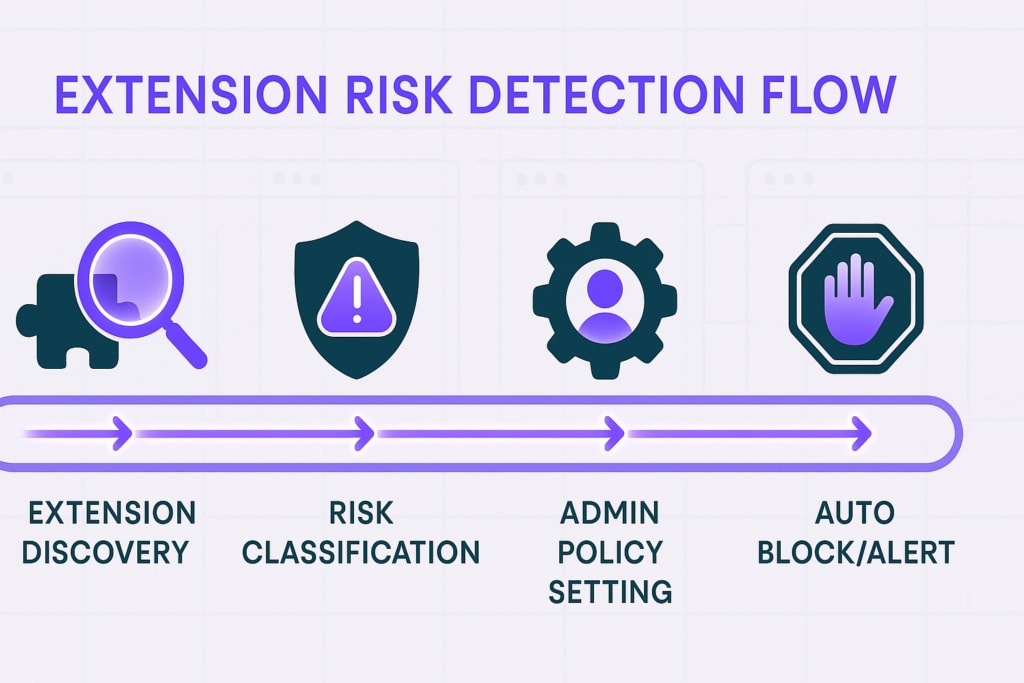
For organizations concerned about their browser extension threat surface, LayerX is offering a free browser extension audit. The audit includes discovery of all browser extensions installed in your environment, mapping which users have what extensions installed and actionable recommendations to remediate exposure to malicious extensions.
Click here to sign up for the complementary extension audit.
| Extension ID | Extension Name | Publisher |
|---|---|---|
| ccollcihnnpcbjcgcjfmabegkpbehnip | FortiVPN | https://forti-vpn[.]com/ |
| aeibljandkelbcaaemkdnbaacppjdmom | Manus AI | Free AI Assistant | https://manusai[.]sbs |
| fcfmhlijjmckglejcgdclfneafoehafm | Site Stats | https://sitestats[.]world |
| abbngaojehjekanfdipifimgmppiojpl | Clothing Brand Name Generator | https://clothingbrandnamegenerator[.]app |
| dohmiglipinohflhapdagfgbldhmoojl | DeBank – Digital Assets | winchester[.]abram37 |
| acmiibcdcmaghndcahglamnhnlmcmlng | AML Sector | Free Crypto AML Checker | https://amlsector[.]com |
| mipophmjfhpecleajkijfifmffcjdiac | Crypto Whales Vision | https://cryptowhalesvision[.]world |
| cknmibbkfbephciofemdjndbgebggnkc | Calendly Daily | Free Meeting Scheduling Software | https://calendly-daily[.]com |
| gmigkpkjegnpmjpmnmgnkhmoinpgdnfc | Calendly Docket | Free Meeting Scheduling Software | https://calendly-docket[.]com |
| ahgccenjociolkbpgbfibmfclcfnlaei | CreativeHunter – Free tool for Facebook | https://creativehunter[.]world |
| kjhjnbdjonamibpaalanflmidplhiehe | Twin Web | https://twin-web[.]world |
| pobknfocgoijjmokmhimkfhemcnigdji | EventSphere | https://eventphere[.]com |
| iclckldkfemlnecocpphinnplnmijkol | SQLite browser | https://sqlitebrowser[.]app |
| jmpcodajbcpgkebjipbmjdoboehfiddd | DeepSeek AI Chat | https://ai-chat-bot[.]pro |
| ihdnbohcfnegemgomjcpckmpnkdgopon | AI Sentence Rewriter | https://ai-sentence-rewriter[.]com |
| oeefjlikahigmlnplgijgeeecbpemhip | Convert PDF to JPG | https://pdf-to-jpg[.]app |
| aofddmgnidinflambjlfkpboeamdldbd | HTML validator | https://htmlvalidator[.]app |
| acchdggcflgidjdcnhnnkfengdcmldae | CMS Checker | https://cmschecker[.]app |
| albakpncdngcejcjdahomfbkakbmafgb | Hourly to salary calculator | https://hourlytosalarycalculator[.]app |
| hhlcpmdhlcoghhfgiiopcjbkfmdliknc | CSS validator | https://cssvalidator[.]app |
| eheagnmidghfknkcaehacggccfiidhik | Email checker – verify email address in 1-click | https://email-checker[.]pro |
| ckcfkaikieiicfdeomgehmnjglnofhde | Crypto Whale Alert – Blockchain Transaction Data | https://crypto-whale[.]top |
| pbpobpjppnecgcinajfpaninmjkdbidm | Web Analytics – Website Traffic & SEO Checker | https://web-analytics[.]top |
| gdfjahfbaillhkeigeinoomhjnfajbon | Ad Vision – Free Ad Spy tool for Facebook | https://ad-vision[.]click |
| eoalbaojjblgndkffciljmiddhgjdldh | Madgicx Plus – The SuperApp for Meta Advertisers | https://madgicx-plus[.]com |
| odhmhkkhpibfjijmpgcdjondompgocog | Similar Net – Website Traffic & SEO Checker | https://similar-net[.]com |
| ohhhngpnknpdhmdmpmoccgjmmkkleipn | Meta Spy – Free Ad Spy tool for Facebook | https://meta-spy[.]help |
| nejfdccopmpimplhmmdfjobodgeaoihd | Free VPN – Raccoon | Unlimited VPN | https://raccoon-vpn[.]world |
| dhhmopcmpiadcgchhhldcpoeppcofdic | Free VPN – Orchid | Unlimited VPN | https://orchid-vpn[.]com |
| ffmfnniephcagojkpjddjiogjeoijjgl | VPN Free – Soul VPN Unlimited VPN Proxy | https://soul-vpn[.]com |
| nabbdpjneieneepdfnmkdhooellilgho | Website monitoring | https://websitemonitoring[.]pro |
| mldeggofnfaiinachdeidpecmflffoam | AI Writer | https://aiwriter[.]expert |
| pndmbpnfolikhfnfnkmjkkpcgkmaibec | AI Ad Generator | https://aiadgenerator[.]app |
| elipckbifniceedgalakgnmgeimfdcdi | Headline Generator | https://headlinegenerator[.]app |
| kkgmdjjpobmenpkhcclceelekpbnnana | Web Watch | https://webwatch[.]world |
| dcnjgfafcnopabhpgoekkgckgkkddpjg | Youtube Vision | https://youtube-vision[.]world |
| mllkmmdaapekjehapekhjjiednchgmag | Web Metrics – Website Traffic & SEO Checker | https://web-metrics[.]link |
| bhahpmoebdipfoaadcclkcnieeokebnf | Bitcoin price live | https://bitcoin-price[.]live |
| oliiideaalkijolilhhaibhbjfhbdcnm | Link shortener | https://u99[.]pro |

© 2026 Akamai Technologies