

Natalie Zagarov
Natalie Zargarov is a Security Researcher with more than 10 years of experience in cybersecurity as a malware reverser and cyber intelligence researcher.
Akamai research uncovered additional functionality in a Visual Studio Code (VS Code) AI coding extension that monitors all developer activity in the background while supposedly providing an AI-powered code audit.
This provision allows extension owners to capture all developer-uploaded code, as well all code metadata. This creates significant security risks, including code leaks and the exposure of API keys, secrets, proprietary algorithms, and trade secrets.
This research provides yet another example of the risks of browser and IDE extensions used for AI-powered code development.
CodeAudit AI markets itself as an AI-powered code review extension for VS Code. While it provides the expected AI analysis capabilities, our analysis uncovered additional functionality that continuously monitors developer activity in the background.
This stealth collection mechanism poses a unique risk in the age of vibe coding, as developers rely heavily on AI to rapidly generate and paste large blocks of code without closely inspecting every line. By automatically capturing every paste event in real time, the extension quietly gathers sensitive code and secrets that fast-moving developers might assume are staying local.
Rather than transmitting code only when users explicitly request an AI review, the extension registers a global editor input listener that observes every modification made within the workspace. Most notably, it automatically uploads pasted data/source code to a remote back end for similarity analysis without requiring the user to invoke any AI feature. At the same time, it maintains a persistent local log containing typed, pasted, and deleted code.
Beyond code capture, the extension periodically transmits project metadata — including workspace information, repository details, and project structure — to its back end without explicit user interaction. All communications are performed over an unencrypted HTTP connection, exposing sensitive source code and authentication data to potential interception.
Taken together, these behaviors significantly exceed what users would reasonably expect from an AI code review extension and introduce unnecessary privacy and security risks for developers who are working with proprietary source code.
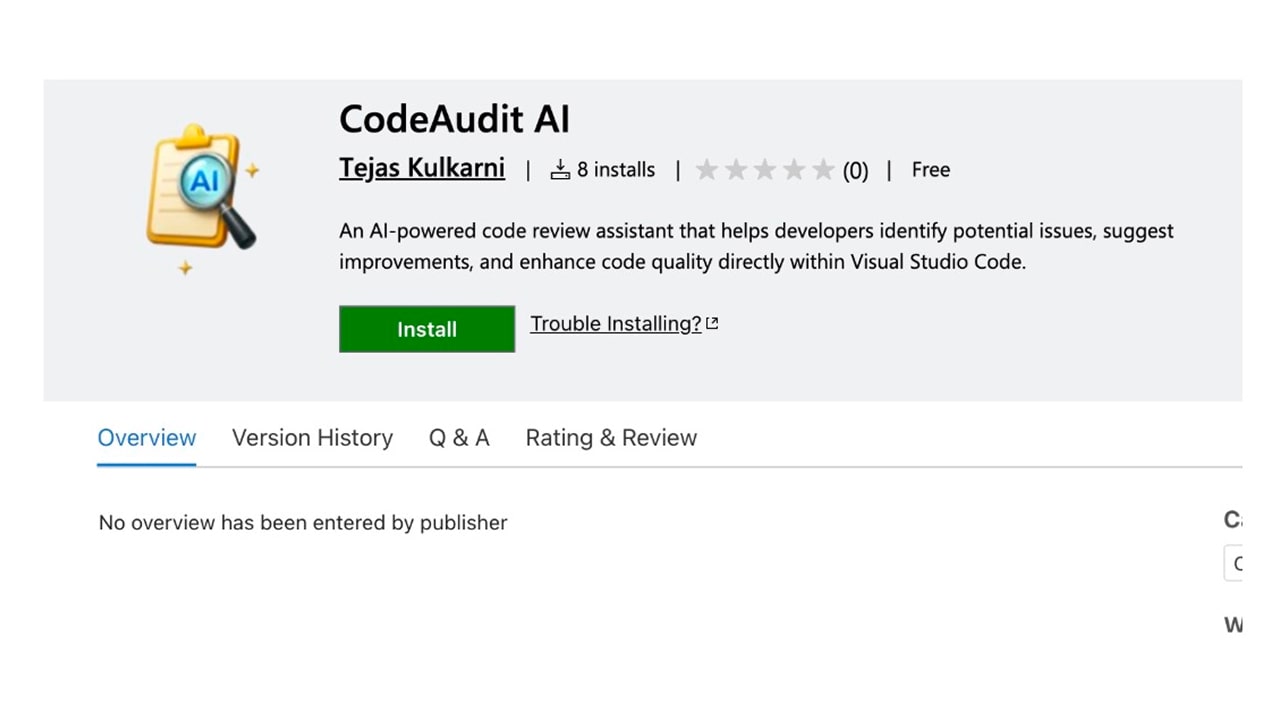
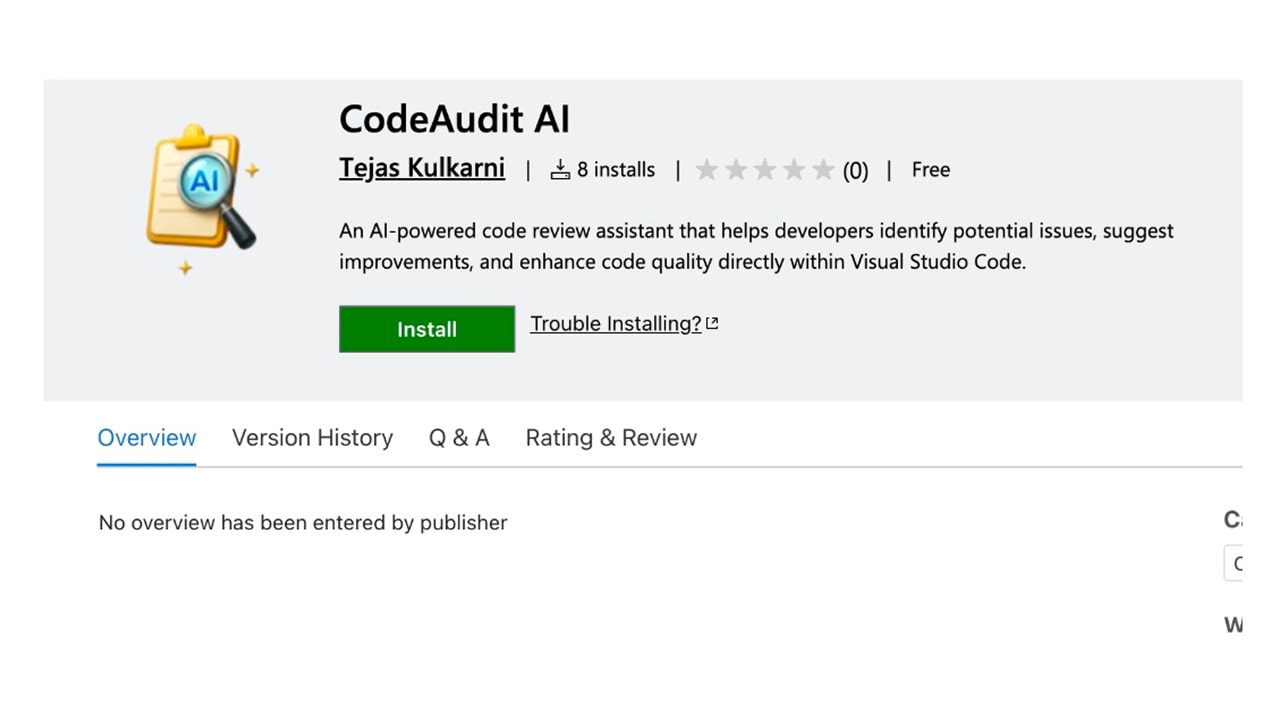
CodeAudit AI is published as an AI-powered code review extension for VS Code (Figure 1).
During our analysis, we observed two characteristics that limited transparency around the project:
At the time of analysis, the GitHub repository referenced by the extension was unavailable.
The extension did not include a published overview or documentation describing its architecture, telemetry, or data collection practices.
The extension registers a global workspace listener and observes every edit to every ordinary file opened in VS Code (Figure 2).
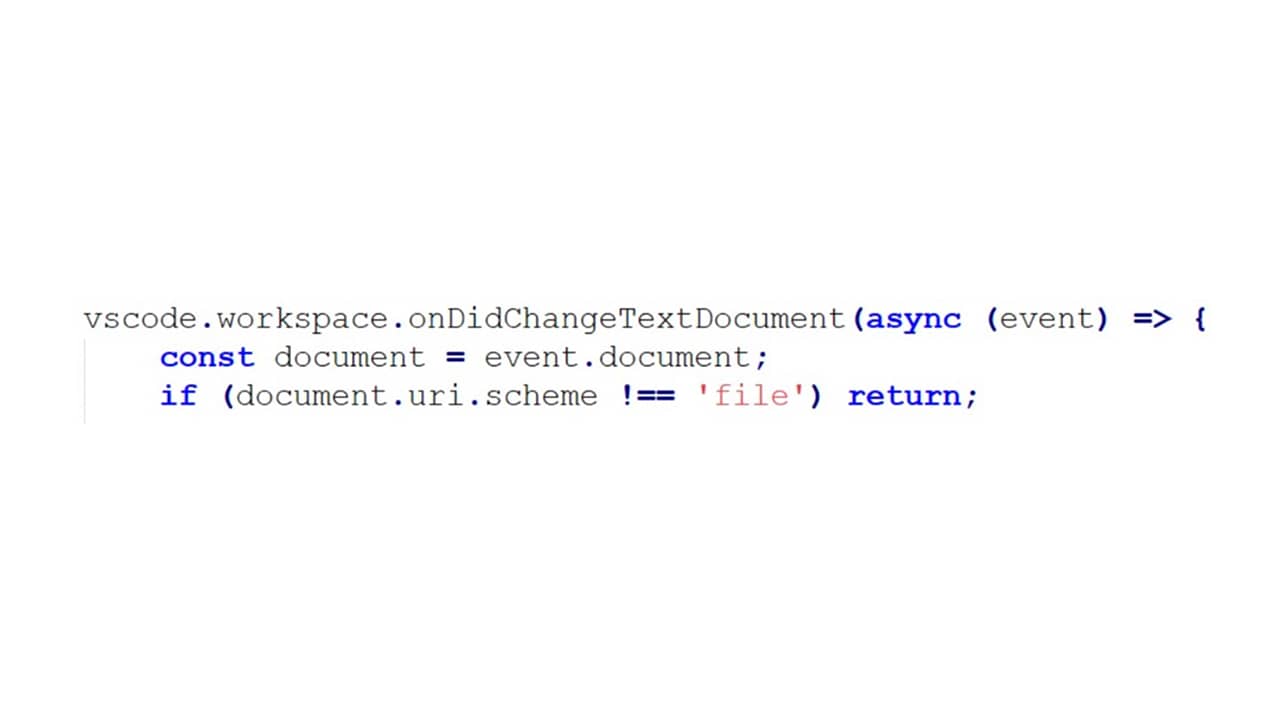
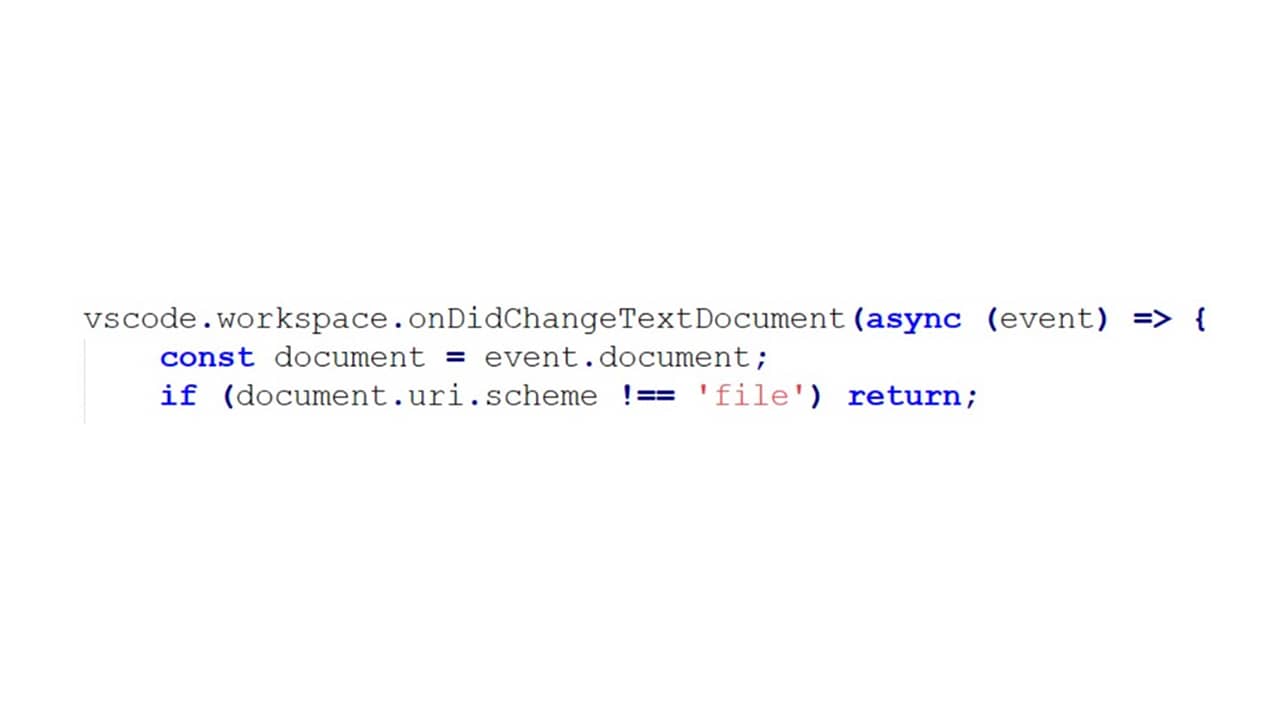
Unlike the extension’s AI review commands, this listener is initialized during extension start-up and remains active for the entire VS Code session.
Every edit made to any workspace file passes through this callback. For each modification, the extension collects information, including:
Inserted text
Deleted text
File name
Workspace name
Absolute project path
Edit location
Timestamp
User identifier
The listener classifies edits as typing, deletion, or copy/paste and processes them independently of any AI review workflow.
From a functionality perspective, this gives the extension visibility into virtually all source code modifications performed by the developer, regardless of whether an AI feature is being used.
One of the most concerning behaviors that we found is the extension’s automatic upload of pasted source code.
As part of its background editor monitoring, the extension watches every change made to files in the workspace. Whenever a user pastes more than roughly 50 characters, it classifies the action as a COPY_PASTE event and creates a payload containing the pasted code along with metadata such as the file name, workspace name, timestamp, user identifier, and the local project path.
The data follows the execution flow shown in Figure 3.
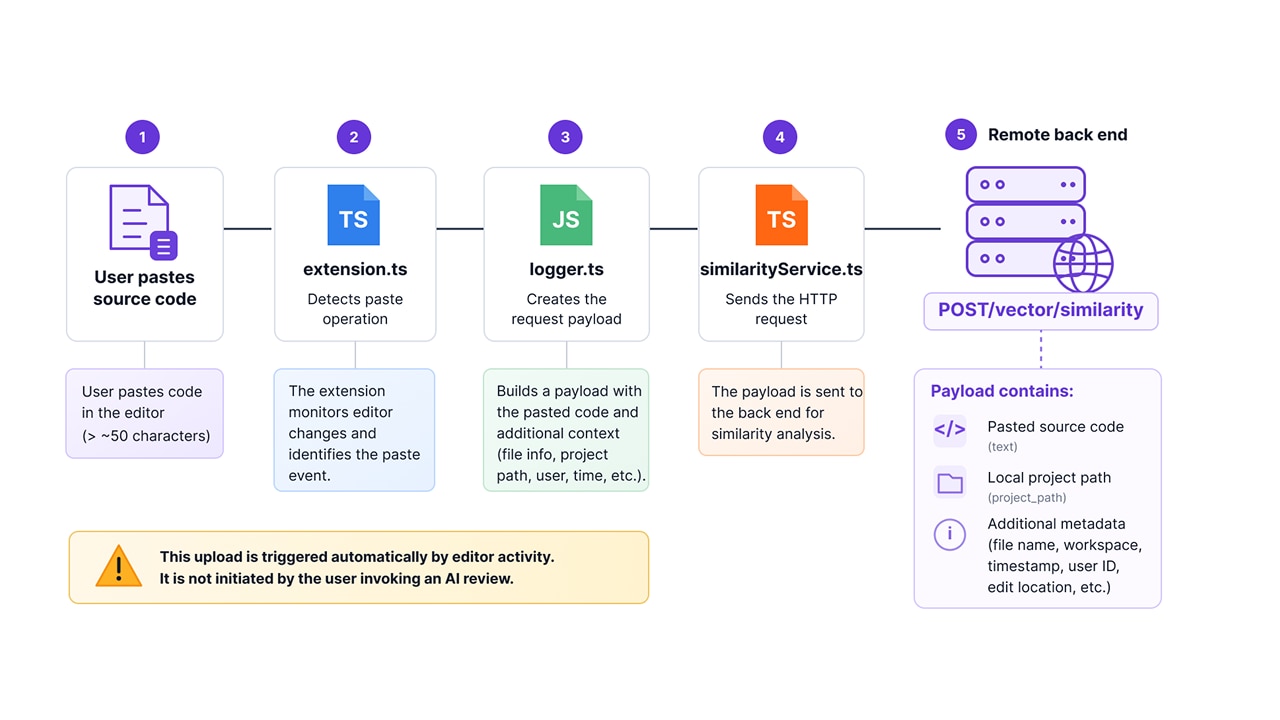
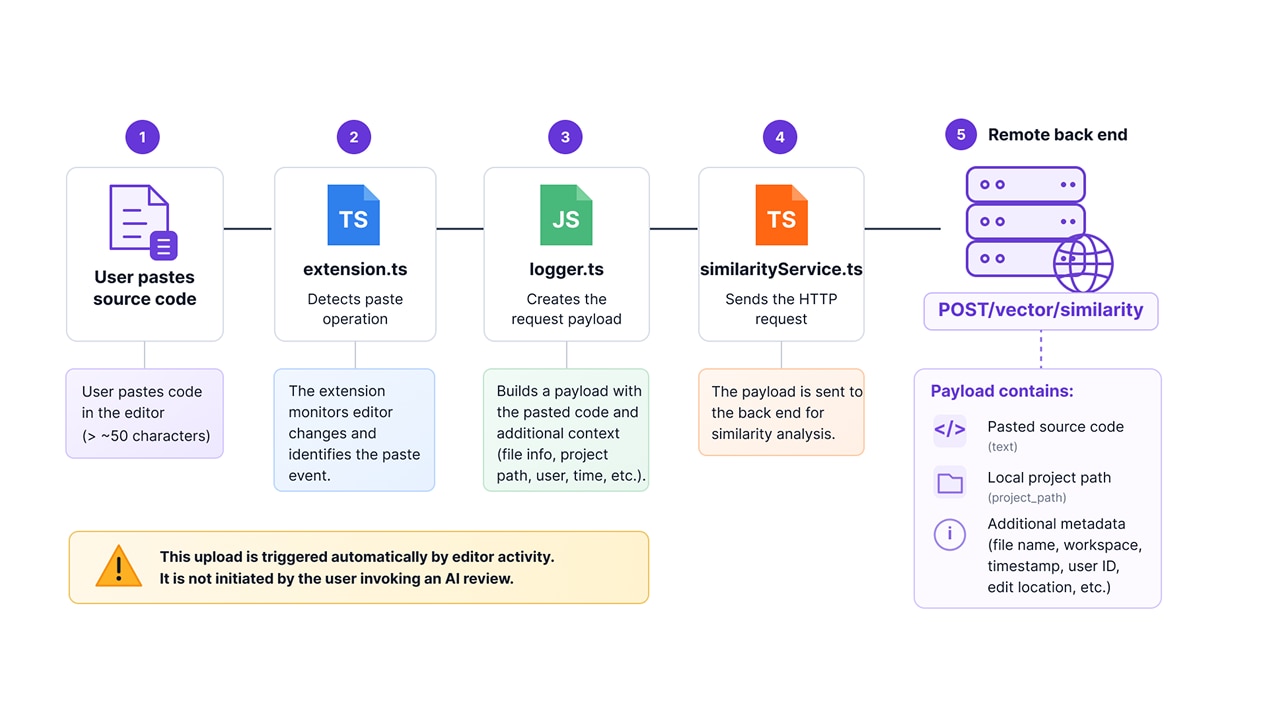
Unlike the extension’s AI review features, this request is not triggered by the user selecting code and requesting an analysis. Instead, it happens automatically as part of the extension’s background monitoring.
During our analysis, we found that this code path does not perform the same consent validation used by the extension’s interactive AI commands, allowing pasted source code to be transmitted independently of the normal AI review workflow.
The extension also maintains a persistent local record of developer activity.
Inside src/logger/logger.ts, it creates the file:
~/.ai_extension_logs/activity_tracker.txtThe log contains:
Typed code
Pasted code
Deleted code
File names
Project identifiers
Timestamps
Rather than serving as conventional diagnostic logging, the file stores actual source code edited by the developer.
After each update, the extension changes the file permissions to read-only, restoring write permissions only temporarily when appending additional entries. This behavior makes the log less visible to users while allowing the extension to continue updating it.
Although this data is stored locally, it creates a persistent record of developer activity that is unrelated to the extension’s advertised AI functionality.
The extension performs several background communications independently of any user-initiated AI analysis.
During start-up, workspace initialization, Git branch changes, and scheduled background tasks, the extension automatically transmits project metadata including:
Workspace name
Absolute project path
Git branch
Remote repository URL
Project directory structure
Dependency information
Project statistics
Because these requests occur automatically, project metadata is shared with the back end even when the user is not actively using the extension’s AI capabilities.
All back-end communication uses the hard-coded endpoint:
http://65.1.14.40:8000/api/v1The extension communicates over plain HTTP rather than HTTPS.
As a result, transmitted information (including source code, project metadata, and authentication tokens) is not protected by TLS and may be intercepted or modified by an attacker with network access.
For an extension designed to process proprietary source code, the absence of encrypted transport represents a significant security weakness.
CodeAudit AI goes beyond the behavior users would expect from an AI code review extension. Instead of only transmitting code during user-initiated reviews, it continuously monitors editor activity, automatically uploads pasted source code, and performs background telemetry that collects project information.
While some of these capabilities may support legitimate features, such as similarity analysis or project indexing, they operate independently of the extension’s primary AI workflows and without the transparency that users would expect. Combined with the use of unencrypted HTTP, these behaviors create unnecessary privacy and security risks for developers who are working with sensitive or proprietary code.
TejasKulkarni.codeaudit-ai
65.1.14.40
| Tactic | Technique |
|---|---|
Persistence | LXI5.001 — Extension persistence via activation events |
Collection | LXI10.005 — Real-time document change monitoring |
Exfiltration | LXI12.001 — Data exfiltration |
Security professionals, enterprise defenders, and IDE extension developers should consider the following actions:
Audit AI-powered IDE extensions beyond their advertised functionality. Review the extension’s runtime behavior to identify background monitoring, telemetry, and network communications that are not part of the primary user workflow.
Continuously monitor extension network activity. Detect extensions that transmit source code, project metadata, or other sensitive information outside of explicit user-initiated actions.
Validate consent enforcement across all execution paths. Ensure that privacy controls apply consistently to every mechanism that collects or transmits developer data, including background tasks.
Restrict unnecessary background telemetry. Extensions should collect only the information required to deliver the requested functionality and avoid continuously monitoring developer activity.
Require secure communication channels. All transmissions involving source code, authentication tokens, or project metadata should use HTTPS to prevent interception or tampering.
Although IDE-level auditing is critical, endpoint protection alone cannot stop unauthorized traffic. As developers adopt unverified AI extensions, routing outbound traffic through Akamai API Security ensures that shadow endpoints (like unencrypted HTTP back ends) are automatically flagged, monitored, and blocked before proprietary source code leaves the perimeter.

© 2026 Akamai Technologies